Your Complete Guide to the Plagiarism Detector Free Online Checker
In today’s digital world, creating original content is more important than ever. Whether you’re a student submitting an essay, a blogger crafting a post, or a professional preparing a report, the authenticity of your writing is paramount. Accidentally using someone else’s words or ideas without proper credit can have serious consequences. This is where a reliable plagiarism checker becomes an essential tool in your writing toolkit. The Plagiarism Detector Free Online Checker is a powerful, web-based application designed to help you ensure the originality of your work with ease and precision. This detailed tutorial will walk you through everything you need to know to use this tool effectively, from your first check to interpreting the advanced reports.
Introduction to Plagiarism Detector
The Plagiarism Detector, accessible at https://plagiarismdetector.net/, is a free online service that scans your submitted text against a vast array of online sources to identify duplicated or unoriginal content. Its primary goal is to help you maintain integrity in your writing by highlighting sections that may be plagiarized. The tool is incredibly user-friendly, requiring no downloads, installations, or technical expertise. It provides a clear, visual report that not only gives you a percentage score for originality but also shows you exactly which parts of your text need attention. This makes it an ideal solution for writers of all levels who want to double-check their work before publication or submission.
Getting Started with Plagiarism Detector
Beginning your journey with the Plagiarism Detector is straightforward. Since it’s a web-based tool, you don’t need to create an account or go through a lengthy sign-up process. Here’s what you need to do to get ready for your first check.
What You Need Before You Begin
- A Device with Internet Access: You can use the Plagiarism Detector on any device—a desktop computer, laptop, tablet, or smartphone—as long as it is connected to the internet.
- A Web Browser: The tool works on all modern browsers like Google Chrome, Mozilla Firefox, Safari, or Microsoft Edge. Ensure your browser is updated for the best performance.
- Your Text Ready for Checking: Have the text you want to analyze prepared. You can check anything from a short paragraph to longer documents. The free version typically has a word limit per check (often several thousand words), so for very long documents, you may need to check them in sections.
Once you have these three simple things, you are ready to navigate to the website and start ensuring your content’s originality.
Key Features of the Plagiarism Detector
Understanding the features of this tool will help you make the most of its capabilities. The Plagiarism Detector Free Online Checker is packed with functionalities designed to give you a comprehensive analysis.
Comprehensive Online Source Checking
The core engine of the tool scans your text against a massive database of online pages, including websites, academic journals, publications, and articles. This broad search is crucial for identifying content that may have been copied from anywhere on the public internet.
Sentence-by-Sentence Highlighting
Instead of just giving you a vague score, the tool provides actionable feedback. It highlights individual sentences or phrases within your text that match sources found online. Different colors are often used to indicate the severity or source of the match, allowing you to pinpoint problematic areas instantly.
Originality Percentage Score
Upon completion of the scan, the tool calculates and displays a clear percentage score. This “originality score” gives you a quick, at-a-glance understanding of how much of your content is unique. A high percentage (e.g., 95% or above) is generally a good indicator of original work.
Detailed and Visual Report
Beyond the highlights, the tool generates a full report. This report typically lists the sources where matching content was found, often with links. You can see exactly which part of your text corresponds to which online source, making it easy to revise or properly cite the material.
Completely Free-to-Use Service
One of the most appealing features is that it is genuinely free. There are no hidden costs, premium walls for basic checks, or requirements to subscribe. You can use its essential plagiarism detection features without spending a dime, which is perfect for students and individuals on a budget.
How to Use the Plagiarism Detector: A Step-by-Step Walkthrough
Now, let’s go through the actual process of using the tool, step by step. Follow these instructions to perform a thorough plagiarism check.
Step 1: Access the Website
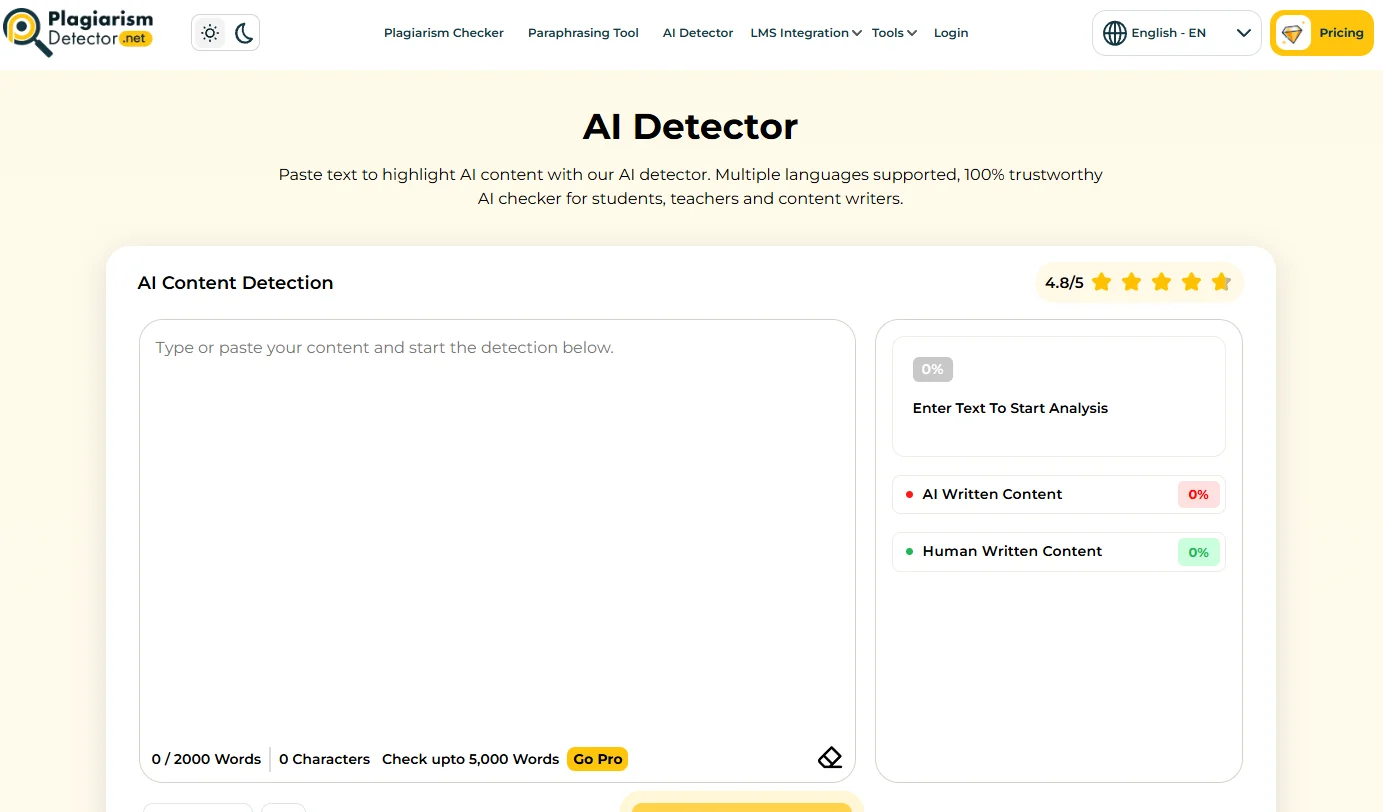
Open your web browser and go to the official URL: https://plagiarismdetector.net/. The homepage will load, presenting you with a clean and simple interface, usually centered around a large text box.
Step 2: Input Your Text
You will see a large, empty text field labeled something like “Paste your text here” or “Enter text to check for plagiarism.” You have two main options:
- Copy and Paste: Simply copy your entire text from your document (Word, Google Docs, etc.) and paste it directly into this box.
- Type Directly: You can also type or edit your text directly within the box on the website.
Ensure you have pasted all the text you wish to analyze. The tool will automatically count the words for you.
Step 3: Initiate the Scan
After your text is in the box, look for a prominent button. It is usually labeled “Check Plagiarism” or “Start Free Check.” Click this button to begin the scanning process. The tool will now start analyzing your text, comparing it sentence by sentence against its database of online sources. This may take a few moments, depending on the length of your text and your internet speed.
Step 4: Review the Results and Report
Once the scan is complete, the results page will load. This is the most important part. Here’s what to look for:
- The Originality Percentage: This will be displayed prominently, often in a large font. This is your overall score.
- The Highlighted Text: Your submitted text will be shown again, but now with certain sentences or phrases highlighted in colors like yellow, orange, or red. Each color usually corresponds to a matched online source.
- The Source List: Scroll down or look to the side to find a list of URLs or source titles. Clicking on these or on the highlighted text often shows you the connection between your content and the source.
Take your time to go through each highlighted section. The tool has done its job by identifying potential matches; now it’s your turn to interpret them.
Step 5: Interpret and Take Action
Not every highlight means you have committed plagiarism. You need to analyze the context:
- Common Phrases: Short, generic phrases like “in today’s world” may be flagged but are not a concern.
- Properly Cited Quotes: If you have used a direct quote and cited it correctly, the highlight simply confirms the source. You may still want to ensure your citation format is perfect.
- Problematic Matches: If entire sentences or unique ideas are highlighted and you did not cite a source, this is potential plagiarism. You must either rephrase this content in your own words (paraphrase) or add the appropriate citation to credit the original author.
Use the detailed source links to visit the original content and decide on the necessary action.
Tips for Effective Use and Maximizing Originality
To become a power user of the Plagiarism Detector and improve your writing process, consider these practical tips.
Check Early and Check Often
Don’t wait until you’ve finished a 10,000-word document to run a check. Integrate the tool into your writing workflow. Check sections of your work as you complete them. This makes it easier to identify and fix issues early, rather than facing a massive rewrite at the last minute.
Understand the Difference Between Plagiarism and Paraphrasing
The tool helps find matches, but it’s your responsibility to ensure proper paraphrasing. Simply changing a few words in a sentence is often still considered plagiarism. Effective paraphrasing involves completely rewriting an idea in your own voice and structure, followed by a citation for the original concept. Use the tool’s highlights as a guide to see if your paraphrasing was sufficiently original.
Use it as a Learning Tool
For students, this isn’t just a “gotcha” machine. Use it to learn about proper citation practices. When a section is highlighted, research how to correctly cite that type of source. Over time, you’ll develop a stronger sense of how to integrate research into your own original work.
Combine with a Grammar Checker
While the Plagiarism Detector ensures originality, it does not check for grammar, spelling, or style. For a complete polish, run your text through a grammar checking tool after you’ve ensured its originality. This two-step process will significantly elevate the quality of your final draft.
Respect Privacy with Sensitive Texts
The tool scans against public online sources. However, if you are working with highly sensitive, unpublished, or confidential documents, consider the implications of pasting them into an online tool. For most academic and blog content, this is not a concern, but it’s a good point to be aware of.
Revise Based on the Detailed Report
Don’t just look at the percentage and move on. The real value is in the detailed report. Click the source links, read the original content, and make informed decisions about whether you need to paraphrase, quote, or cite. This diligent approach is what truly ensures the integrity of your work.
By following this tutorial, you are now equipped to confidently use the Plagiarism Detector Free Online Checker to safeguard the originality of all your written projects. It’s a simple yet powerful ally in your quest to produce authentic, credible, and high-quality content.

Plagiarism Detector Free Online Checker
A free online tool that checks text for plagiarism and calculates an originality percentage.