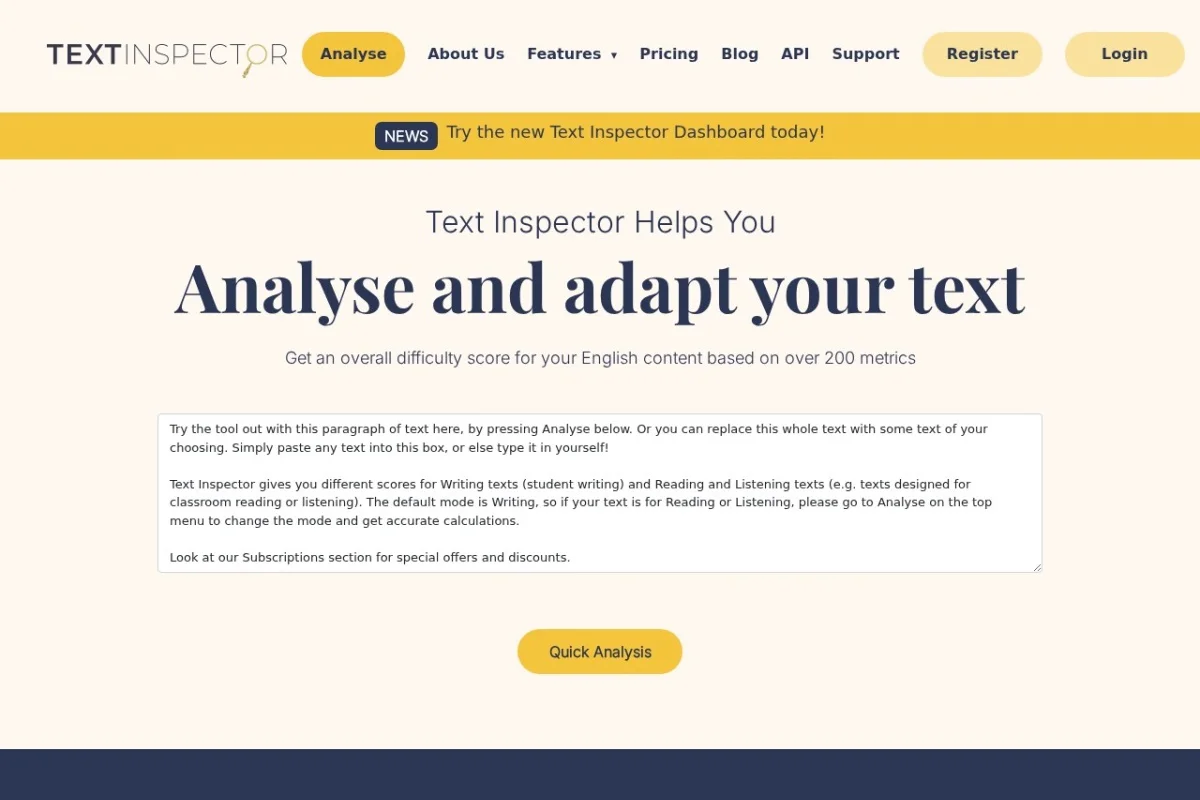
Introduction to Text Inspector AI Detector
In today’s digital landscape, distinguishing between human and artificial intelligence-generated text has become a critical challenge. From academic submissions and professional journalism to marketing copy and website content, AI writing tools are now ubiquitous. This is where the Text Inspector AI Detector becomes an indispensable resource. It is a specialized online tool designed to analyze a piece of text and determine the likelihood that it was created by an AI model such as ChatGPT, GPT-4, Claude, or others, as opposed to a human author.
By examining deep linguistic patterns, stylistic nuances, and statistical properties that are often characteristic of AI-generated content, the tool provides a clear, probability-based assessment. For educators verifying student work, content managers ensuring brand authenticity, editors upholding publication standards, or anyone curious about the origin of a text, this tool offers a straightforward and accessible solution. This tutorial will guide you through everything you need to know to start using the Text Inspector AI Detector effectively.
Getting Started with the Tool
Beginning your analysis with the Text Inspector AI Detector is a simple, hassle-free process. There is no requirement to create an account or go through a lengthy sign-up procedure, which makes it incredibly accessible for quick, on-the-spot checks.
What You’ll Need:
- A device (computer, tablet, or smartphone) with an internet connection.
- A modern web browser (like Chrome, Firefox, Safari, or Edge).
- The text you wish to analyze, ready to be copied and pasted.
Accessing the Tool:
Open your web browser and navigate to the official URL: https://textinspector.com/ai-detector. You will be taken directly to the main analysis interface. The page is clean and uncluttered, focusing your attention on the task at hand. You are now ready to start detecting.
Key Features and Capabilities
Understanding the core features of the Text Inspector AI Detector will help you interpret its results and appreciate its utility. Here’s a breakdown of what the tool offers:
AI-Generated Content Indicator Analysis
At its heart, the tool is a sophisticated analytical engine. It doesn’t just look for simple keywords; it delves into the fabric of the writing. It examines factors such as:
- Perplexity: This measures how “predictable” or “surprising” the text is. AI-generated text often has lower perplexity, meaning it uses more common and predictable word combinations.
- Burstiness: This refers to the variation in sentence structure and length. Human writing tends to be more “bursty”—with a mix of long, complex sentences and short, punchy ones. AI output is often more uniform and consistent.
- Stylistic Patterns: The detector looks for tell-tale signs of AI style, such as overuse of certain transitional phrases, an overly formal or neutral tone, and a lack of personal anecdote or idiosyncratic expression.
Probability Score (Percentage)
The tool provides a clear, quantitative result. After analysis, it displays a percentage score that represents the probability the submitted text was AI-generated. For instance, a result of “95% AI Probability” indicates a very high chance the text came from an AI, while a score of “10% AI Probability” suggests the text is likely human-authored. This score gives you a concrete metric to work with.
Multi-Model Support
The detector is trained to recognize output from a wide range of popular large language models (LLMs). This includes, but is not limited to, models from OpenAI’s family (like ChatGPT and GPT-4), Anthropic’s Claude, Google’s Gemini, and other common text generators. This broad compatibility makes it a versatile tool in a rapidly evolving AI ecosystem.
Simple Paste-and-Analyze Interface
User experience is paramount. The interface is designed for maximum simplicity: a large text box for pasting your content and a prominent button to initiate the scan. There are no complex settings to configure, making it perfect for beginners and experts alike who need a fast answer.
Speed and Efficiency
Results are delivered within seconds. This quick turnaround is crucial for users who need to screen multiple pieces of content, such as a teacher reviewing a set of essays or a hiring manager going through application materials.
How to Use the Text Inspector AI Detector: A Step-by-Step Guide
Follow these straightforward steps to analyze your text. The entire process takes less than a minute.
Step 1: Prepare and Copy Your Text
Open the document, email, or webpage containing the text you want to check. Select and copy the text to your device’s clipboard. For best results, the tool generally works more accurately with longer text samples. While it can analyze short snippets, aiming for at least 150-200 words will provide a more reliable and nuanced probability score.
Step 2: Navigate to the Website
As mentioned earlier, go to https://textinspector.com/ai-detector in your web browser. Ensure you are on the correct page to access the free detector tool.
Step 3: Paste Your Text
Click inside the large, empty text box on the webpage. Paste your copied text. You can use the standard keyboard shortcut (Ctrl+V on Windows, Cmd+V on Mac) or right-click and select “Paste.” You will see your text appear in the box.
Step 4: Initiate the Analysis
Once your text is in the box, locate the button typically labeled “Analyze Text” or similar. Click this button to submit your text for processing. Do not refresh the page after clicking.
Step 5: Review Your Results
After a brief moment, the analysis will complete. The results page will prominently display the AI Probability Score as a percentage. Often, this is accompanied by a simple verdict like “Likely AI-Generated” or “Likely Human-Written.” Some analyses may also highlight specific sentences or phrases that triggered the AI detection algorithms, giving you insight into what influenced the score.
Interpreting the Score:
- High Percentage (e.g., 80%-100%): Strong indication of AI-generated content.
- Middle Percentage (e.g., 40%-70%): Inconclusive; the text may contain a mix of AI and human writing, or it may be a human writing in a very formal, predictable style.
- Low Percentage (e.g., 0%-30%): Strong indication of human-authored content.
Tips for Effective and Accurate Use
To get the most out of the Text Inspector AI Detector and understand its results in context, keep these practical tips in mind.
Understand the Tool’s Limitations
No AI detector is 100% infallible. They are probabilistic tools, not definitive truth-machines.
- False Positives: A human-written text that is very formulaic, technical, or simple (like a basic product description) might be flagged as AI-generated.
- False Negatives: A sophisticated AI output that has been heavily edited or rewritten by a human may score as mostly human.
- Evolving AI: As AI models become more advanced, they get better at mimicking human “burstiness” and style, making detection a continuous arms race.
Always use the detector’s score as one piece of evidence within a broader context, not as sole proof.
Use Adequate Text Length
For the most reliable analysis, submit text samples of 200 words or more. Very short sentences or phrases do not provide enough linguistic data for the tool to make a confident assessment.
Consider the Text’s Context and Genre
Before making a judgment based on the score, think about what you are analyzing. A scientific abstract or legal document will naturally use more standardized language than a personal blog post or creative story. The detector might rate formal, predictable genres as having a higher AI probability, even if they are human-written.
Leverage it as an Educational Tool
If you are an educator, use the detector not just as a policing tool, but as a teaching aid. You can show students examples of text that scores high for AI generation and discuss the stylistic differences compared to human writing, fostering critical thinking about writing and source integrity.
Combine with Human Judgment
The most effective strategy is a hybrid approach. Use the AI detector’s score to flag content for closer review. Then, apply your own critical reading skills. Look for signs of genuine personal experience, unique voice, depth of insight, or subtle errors that a human might make but an AI would typically avoid. The detector informs your judgment; it does not replace it.
Check for Updates
The field of AI text generation is fast-moving. Periodically revisit the Text Inspector website to see if they have announced improvements to their detection model, ensuring you are using the most current technology available.
By following this guide, you are now equipped to confidently use the Text Inspector AI Detector to navigate the complex world of modern digital text. Remember, it is a powerful aid designed to support your discernment and decision-making in ensuring authenticity and originality.

Text Inspector AI Detector
A tool that analyzes text to determine if it was written by AI or a human.