Introduction
In the rapidly evolving world of digital marketing, traditional search engine optimization (SEO) is no longer enough. With the rise of AI-powered search engines like Google’s Search Generative Experience (SGE), Bing Chat, and Perplexity, content must now be optimized not just for ranking in blue links, but for appearing within AI-generated answers. This is where AISEO comes in.
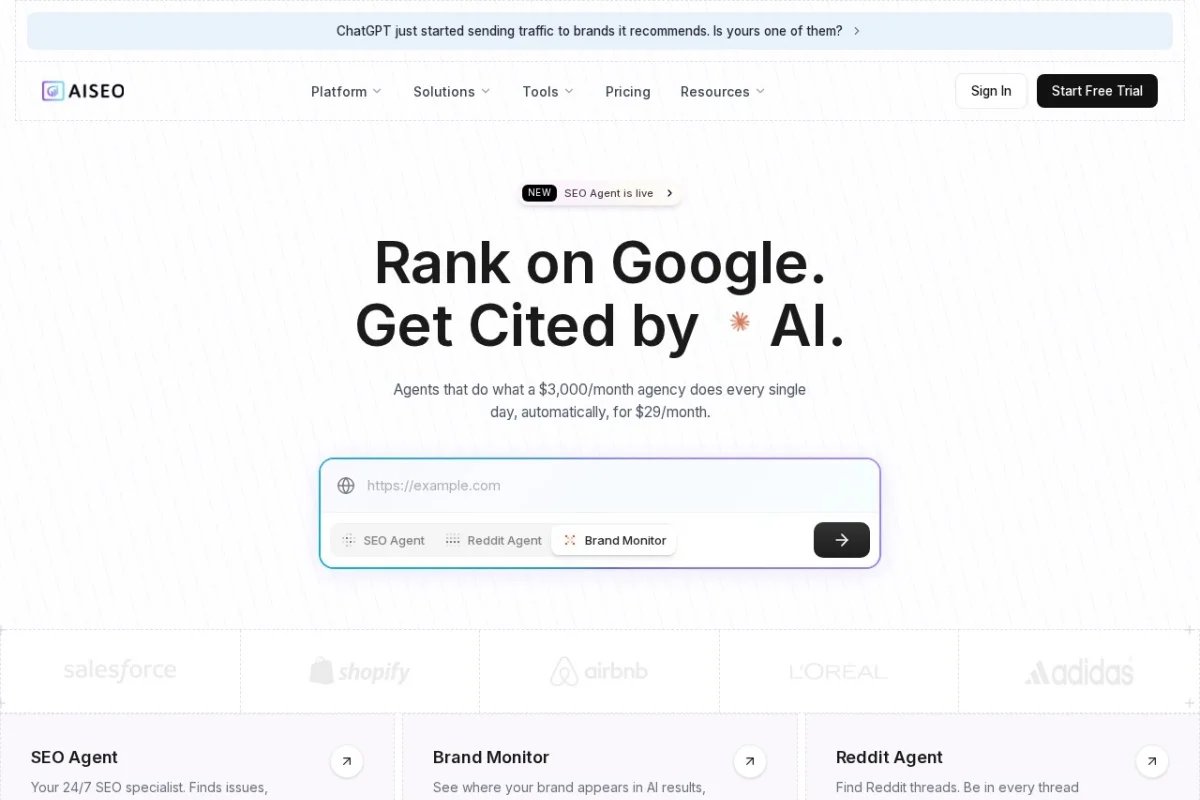
AISEO is a cutting-edge, AI-powered SEO platform specifically designed to help content creators, bloggers, marketers, and agencies achieve visibility in AI-driven search results. Unlike standard AI writing tools that produce generic, robotic text, AISEO focuses on Generative Engine Optimization (GEO). This means it helps your content get picked up and cited by AI models when they generate answers to user queries.
Whether you need to humanize AI-generated text, outrank competitors, establish topical authority, or bypass AI detectors like Turnitin and Originality AI, AISEO provides a complete suite of tools to make your content both search-engine friendly and human-approved. This tutorial will walk you through everything you need to know to start using AISEO effectively, from your first login to advanced content strategies.
Getting Started
Before you can harness the power of AISEO, you need to set up your account and understand the dashboard. Follow these simple steps to get started.
Step 1: Create an Account
- Navigate to the official website: https://aiseo.ai/
- Click on the “Get Started” or “Sign Up” button, typically located in the top right corner.
- You can register using your email address or sign up quickly with your Google account. Choose the method that is most convenient for you.
- After entering your details, check your email for a verification link. Click the link to activate your account.
Step 2: Choose a Plan
- Once logged in, you will be prompted to select a subscription plan. AISEO offers several tiers, from basic plans for individual creators to premium plans for agencies requiring bulk content creation.
- Review the features of each plan carefully. Key differentiators include the number of words you can generate per month, access to the Outrank Article Generator, and the number of projects you can manage.
- For beginners, the entry-level plan is usually sufficient to test the core features. You can always upgrade later.
Step 3: Navigate the Dashboard
- After selecting your plan, you will land on the main dashboard. This is your command center.
- The left sidebar contains all the main tools: AI Content Humanizer, Outrank Article Generator, Blog Image Generator, Topical Authority Builder, and SEO Tools.
- The top bar shows your current word usage, project list, and account settings. Spend a few minutes clicking through each section to familiarize yourself with the layout.
Key Features
Understanding the core features of AISEO is essential to using the tool effectively. Below is a breakdown of each major function.
AI Content Humanization
One of the biggest challenges with AI-generated content is that it often sounds stiff, repetitive, or unnatural. AISEO’s AI Content Humanizer solves this problem. It takes raw, robotic AI text and rewrites it to sound like it was written by a human expert. This feature is crucial for improving readability, engagement, and ultimately, your SEO performance. It also helps your content pass AI detection tools like Turnitin and Originality AI.
Outrank Article Generator
This is AISEO’s flagship feature. The Outrank Article Generator is designed to create long-form, SEO-optimized articles that are specifically crafted to outrank your competitors. You simply input a target keyword, and the AI analyzes top-ranking pages to understand what topics they cover, what questions they answer, and what structure they use. It then generates a unique article that fills content gaps and provides more value, giving you a competitive edge.
Blog Image Generator
Visuals are a critical component of SEO. They improve user engagement, reduce bounce rates, and provide opportunities for image search traffic. The Blog Image Generator creates custom, relevant images for your articles. You can generate featured images, infographics, or in-content visuals that are optimized for web performance and SEO, all without needing graphic design skills.
Topical Authority Builder
Search engines and AI models favor websites that demonstrate expertise on a specific topic. The Topical Authority Builder helps you create content clusters. You start with a pillar page (a comprehensive guide on a broad topic) and then generate multiple supporting articles (cluster content) that link back to the pillar. This structure signals to search engines that you are an authority on the subject, which can significantly boost your rankings.
SEO Optimization Suite
AISEO is not just a writing tool; it is a full SEO platform. It includes built-in keyword research tools to find high-volume, low-competition keywords. It also offers rank tracking so you can monitor your keyword positions over time. The platform provides real-time SEO scores for your content, suggesting improvements for headings, keyword density, meta descriptions, and internal linking.
Multi-language Support
If you operate in global markets, AISEO has you covered. It supports content generation in 25+ languages, including Spanish, French, German, Chinese, Arabic, and more. The AI maintains the same level of quality and SEO optimization regardless of the language you choose.
AI Detection Bypass
With the increasing use of AI detectors by schools, publishers, and content platforms, having content that sounds human is more important than ever. AISEO’s humanization engine is specifically trained to bypass major detectors like Turnitin and Originality AI. This ensures your content is accepted by publishers and trusted by readers.
Bulk Content Creation
For agencies and large teams, AISEO offers a Bulk Content Creation mode. You can upload a CSV file with hundreds of keywords, and the tool will automatically generate unique, optimized articles for each one. This feature is a game-changer for scaling content production without sacrificing quality.
How to Use
Now that you understand the features, let’s walk through practical, step-by-step instructions for using the most important tools.
How to Humanize AI Content
- Navigate to the AI Content Humanizer tool from the left sidebar.
- Paste the AI-generated text you want to humanize into the input box. This could be text from ChatGPT, Jasper, or any other AI writer.
- Select the desired tone (e.g., Professional, Conversational, Academic) and the target audience (e.g., General Public, Experts, Beginners).
- Click the “Humanize” button. The AI will process the text and produce a rewritten version.
- Review the output. You will notice that the vocabulary is more varied, sentence structures are more natural, and the flow is smoother. You can copy the result directly into your blog or website.
How to Generate an Outrank Article
- From the dashboard, select Outrank Article Generator.
- Enter your target keyword (e.g., “best running shoes for flat feet”).
- Choose your preferred language and tone of voice.
- Optionally, you can specify a target URL of a competitor’s article that you want to outrank. The AI will analyze this URL for structure and content gaps.
- Click “Generate”. The tool will first perform research, then write a comprehensive article (typically 1500-3000 words).
- After generation, use the built-in SEO Score checker. The tool will highlight areas for improvement, such as missing keywords, weak headings, or low readability.
- Make the suggested edits, then publish the article on your site.
How to Build Topical Authority
- Go to the Topical Authority Builder.
- Enter a broad topic (e.g., “Digital Marketing”).
- The AI will suggest a pillar page title (e.g., “The Complete Guide to Digital Marketing in 2025”) and a list of cluster topics (e.g., “SEO for Beginners,” “Social Media Marketing Tips,” “Email Marketing Strategies”).
- Generate the pillar page first. This should be a long, comprehensive guide that covers the main topic broadly.
- Next, generate each cluster article. Ensure that each cluster article includes internal links back to the pillar page.
- Publish all content on your website. Over time, this structure will build your authority on the topic, improving your rankings for all related keywords.
How to Generate Blog Images
- Open the Blog Image Generator.
- Enter a description of the image you need (e.g., “A person jogging in a park at sunrise”).
- Select the image style (e.g., Photorealistic, Illustration, 3D Render).
- Choose the aspect ratio (e.g., 16:9 for blog headers, 1:1 for social media).
- Click “Generate”. The AI will create a unique image.
- Download the image and add alt text (descriptive text for SEO) before inserting it into your article.
How to Use Bulk Content Creation
- Navigate to the Bulk Content section.
- Download the provided CSV template.
- Fill in the template with your list of keywords, target titles, and any specific instructions.
- Upload the CSV file back into AISEO.
- Configure your settings (tone, length, language).
- Click “Start Bulk Generation”. The tool will process each row and create individual articles.
- Review each article before publishing. While the AI is powerful, a quick human review ensures quality control.
Tips
To get the most out of AISEO, keep these practical tips in mind.
1. Always Combine Humanize with Outrank
For best results, use the Outrank Article Generator to create your first draft, then run that draft through the AI Content Humanizer. This two-step process ensures your article is both SEO-optimized and naturally readable.
2. Focus on Search Intent
When using the Outrank tool, think about what the user actually wants. Are they looking for information (informational intent) or ready to buy (transactional intent)? Tailor your article’s structure accordingly. AISEO allows you to specify intent, so use this feature.
3. Don’t Ignore the SEO Score
After generating any article, always check the SEO Score. It is a real-time feedback tool that tells you exactly what is missing. Even a score of 80/100 can be improved by adding a few more internal links or adjusting your heading structure.
4. Use Topical Authority for Long-Term Growth
While single articles can bring traffic, building a Topical Authority cluster is what drives sustainable growth. Commit to creating at least one pillar page and five cluster articles per month on your core topic. This strategy pays off significantly over six to twelve months.
5. Test AI Detection Bypass
If you are writing for academic purposes or strict publishing platforms, use the AI Detection Bypass feature. After humanizing your text, run it through a free AI detector like Originality AI to verify it passes. AISEO is highly effective, but testing gives you peace of mind.
6. Leverage Multi-Language for Global Reach
If you have a local business or serve a multilingual audience, generate content in multiple languages. Use the Topical Authority Builder separately for each language to build authority in different markets. Remember to use hreflang tags on your website to tell search engines which language version to show.
7. Schedule Regular Rank Tracking
Set up rank tracking for your most important keywords immediately after publishing. Check the rankings weekly. If you see a drop, revisit the article, update it with fresh information, and re-optimize using the SEO tools. AISEO’s rank tracking makes this easy.
8. Start Small with Bulk Content
If you are new to AISEO, do not start with a bulk upload of 100 articles. Begin with 5 to 10. This allows you to refine your prompts and settings before scaling up. Quality always trumps quantity in SEO.
9. Use the Blog Image Generator for Alt Text
Images are not just decorative. They are an SEO opportunity. When you generate an image, AISEO often provides suggested alt text. Always use descriptive, keyword-rich alt text for every image. This helps your images appear in Google Image Search.
10. Keep Your Brand Voice Consistent
AISEO allows you to set a tone and style, but for a consistent brand voice, create a custom style guide within the tool. Define your preferred vocabulary, sentence length, and formatting rules. This ensures that all content, whether generated by you or your team, sounds like it comes from the same source.
AISEO is a powerful ally in the new era of AI-driven search. By following this tutorial and applying these tips, you will be well on your way to creating content that not only ranks high in traditional search engines but also appears in AI-generated answers, giving you a significant competitive advantage. Start exploring the dashboard today, and remember: consistency and quality are the keys to long-term success.

AISEO
AI SEO platform for AI search visibility and generative engine optimization.