Introduction to Prepostseo AI Content Detector
In today’s digital landscape, the line between human-written and AI-generated content is becoming increasingly blurred. With the rapid advancement of models like GPT-5, Gemini, Grok, and DeepSeek, producing high-quality text with artificial intelligence is easier than ever. This presents a challenge for educators, content managers, publishers, and anyone who needs to verify the originality and authenticity of written work. How can you tell if an essay, blog post, or report was crafted by a person or synthesized by an AI?
This is where the Prepostseo AI Content Detector comes in. It is a specialized, free online tool designed to solve this exact problem. Acting as a digital authenticity scanner, it analyzes submitted text to determine the likelihood that it was generated by an artificial intelligence system. Beyond just identifying content from major AI models, it also has the sophisticated ability to detect text that has been processed through paraphrasing tools or “text spinners”—a common technique used to disguise AI-generated content. Whether you’re a teacher checking student submissions, a website owner vetting freelance work, or a SEO professional ensuring content uniqueness, this tool provides a clear, percentage-based assessment to help you make informed decisions.
Getting Started with the Tool
Starting your journey with the Prepostseo AI Content Detector is wonderfully straightforward. There is no need for complex sign-ups, subscriptions, or software installations. The tool is web-based and accessible from any modern browser on your computer, tablet, or smartphone.
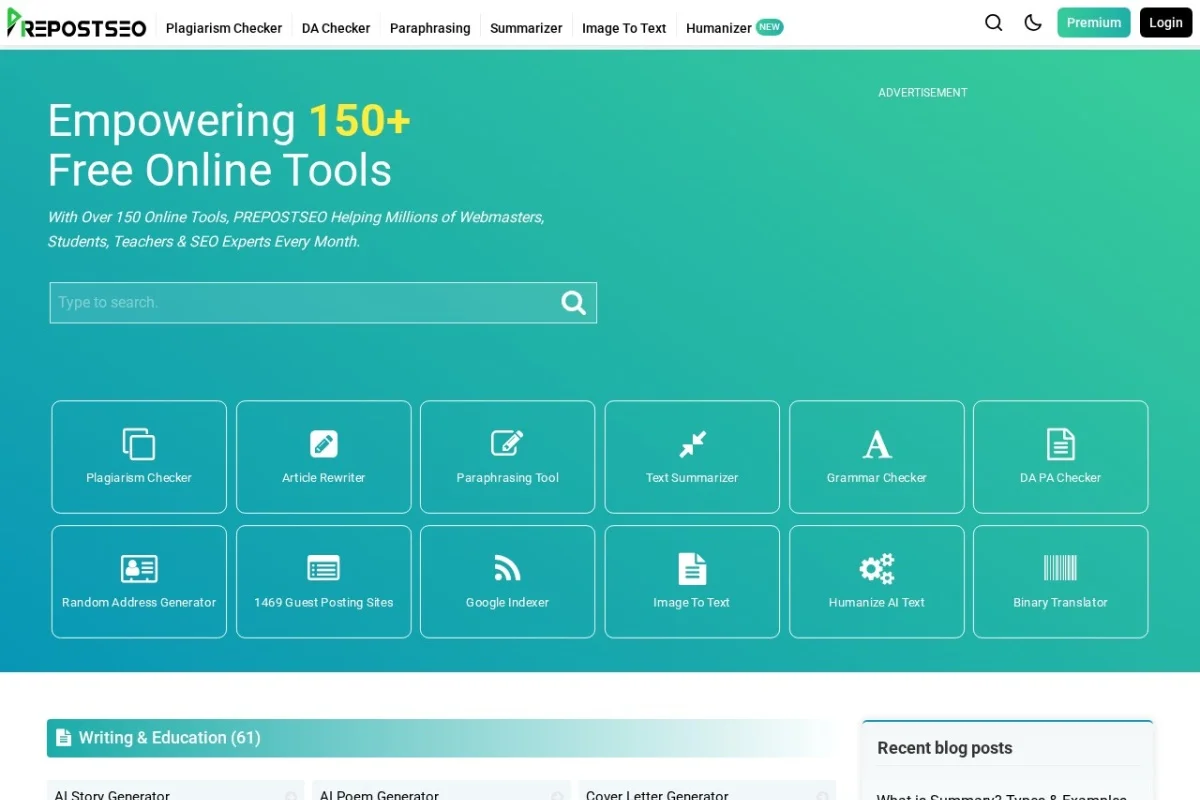
To begin, simply navigate to the official website: https://www.prepostseo.com/. Once on the Prepostseo homepage, you can find the “AI Content Detector” tool by looking for it in the main navigation menu or list of available tools. You can also often find it featured prominently on the homepage itself. Click on the tool’s link, and you will be taken directly to its clean, user-friendly interface. The page you arrive at is your main workspace, featuring a large text box ready for your content. No account creation is required, making it a quick and private solution for immediate use.
Key Features and Capabilities
The strength of the Prepostseo AI Content Detector lies in its robust set of features, engineered for accuracy and ease of use.
Multi-Model AI Detection
This tool isn’t limited to detecting content from just one AI source. It is trained to identify patterns and signatures from a wide array of the most popular and advanced language models, including:
- OpenAI’s GPT-5, GPT-4, and ChatGPT
- Google’s Gemini (formerly Bard)
- xAI’s Grok
- DeepSeek and other prevalent models
This broad-spectrum detection ensures you’re protected against content generated by the most common AI writing assistants.
Paraphrasing and Spinner Detection
One of its most powerful features is the ability to see through attempts to disguise AI content. If a piece of text from ChatGPT is run through a rewriting tool to change wording and sentence structure, many basic detectors will be fooled. The Prepostseo detector uses advanced analysis to spot the underlying patterns typical of spun or heavily paraphrased AI text, giving you a more reliable result.
Percentage-Based Scoring
The tool doesn’t just give a simple “yes” or “no.” It provides a detailed percentage score, such as “85% AI, 15% Human.” This granular result allows for more nuanced judgment. A score of 30% AI might indicate light editing or assistance, while a 98% score strongly suggests fully AI-generated content.
Sentence-Level Analysis
For deep investigation, the tool can highlight which specific sentences within a larger text are most likely written by AI. This is invaluable for providing constructive feedback, as you can pinpoint exact areas of concern rather than dismissing an entire document.
Fast Processing and Multiple Input Methods
You receive results within seconds. The tool supports three convenient ways to submit content for analysis:
- Direct Pasting: Copy and paste your text directly into the input box.
- File Upload: Upload a document file. Supported formats typically include .txt, .doc, .docx, and .pdf.
- URL Input: Enter the web address (URL) of a published article or blog post, and the tool will fetch the text directly from the webpage for analysis.
How to Use the AI Content Detector: A Step-by-Step Guide
Using the detector is an intuitive process. Follow these steps to analyze your text effectively.
Step 1: Input Your Text
Choose your preferred method of input. If pasting, simply copy the text you want to check from its source (like a Word document, email, or webpage) and paste it into the large text box on the tool’s page. If using a file, click the upload button, navigate to your file, and select it. For a URL, paste the web address into the designated URL field.
Step 2: Initiate the Analysis
Once your text is in the input box (or your file/URL is ready), look for the main action button. This is usually labeled prominently as “Check for AI”, “Detect AI Content”, or something similar. Click this button to start the scanning process.
Step 3: Review the Results
Within a few seconds, the results will appear on the same page, typically below the input box. The primary result will be a clear, visual percentage bar and a numerical score stating the likelihood of AI-generated content (e.g., “AI Content: 72%”).
Look for additional details, such as:
- A breakdown of human vs. AI probability.
- A sentence-by-sentence highlight view (if available). Sentences flagged as likely AI-generated may be highlighted in a color like yellow or red.
- Sometimes, a brief summary or confidence level is provided.
Step 4: Interpret and Act on the Findings
Interpret the results within context. A high AI percentage is a strong indicator, but not an absolute guarantee. Consider the source and purpose of the text. Use the sentence-level highlights to provide specific feedback if you are an educator or editor. For website content, a high AI score might prompt a revision for originality before publication.
Practical Tips for Accurate Detection
To get the most reliable results from the Prepostseo AI Content Detector, keep these practical tips in mind.
Provide Sufficient Text Length
The tool works best with longer text samples. For a more accurate analysis, try to submit at least 200-300 words. Very short snippets (like a single sentence) do not provide enough data for the AI to make a reliable judgment, and results can be inconsistent.
Understand the Tool’s Purpose
Remember that this is a detection tool, not a plagiarism checker. It is specifically looking for statistical patterns characteristic of AI language models. It does not compare your text to a database of existing web pages or published works. For plagiarism checking, you would need a separate tool.
Use as Part of a Broader Assessment
Do not rely on the detector’s score as the sole piece of evidence. Use it as a powerful data point within a larger evaluation. Combine its results with your own judgment, knowledge of the writer’s typical style, and other authenticity checks. Look for the “flat” tone, factual inaccuracies, or unusual phrasing that often accompany AI text.
Check Edited or Mixed Content Carefully
If a human heavily edits or rewrites AI-generated content, the detection score will decrease. The tool is excellent at identifying purely AI or spun text, but a skilled human-AI hybrid workflow may produce a mid-range score. The sentence-level analysis is particularly useful here.
Respect Privacy and Ethics
Use the tool responsibly. Always ensure you have the right to check the content you are analyzing, especially in professional or academic settings. Be transparent about your use of such detectors if required by institutional policies.
In conclusion, the Prepostseo AI Content Detector is an essential, user-friendly tool for navigating the new reality of AI-generated text. By offering fast, detailed, and multi-faceted analysis, it empowers users to uphold standards of authenticity and originality in their respective fields. Whether you are a teacher, content manager, or curious individual, mastering this tool is a step towards maintaining integrity and trust in written communication.

Prepostseo AI Content Detector
Advanced tool to detect AI-generated content from ChatGPT, Gemini, and other models.