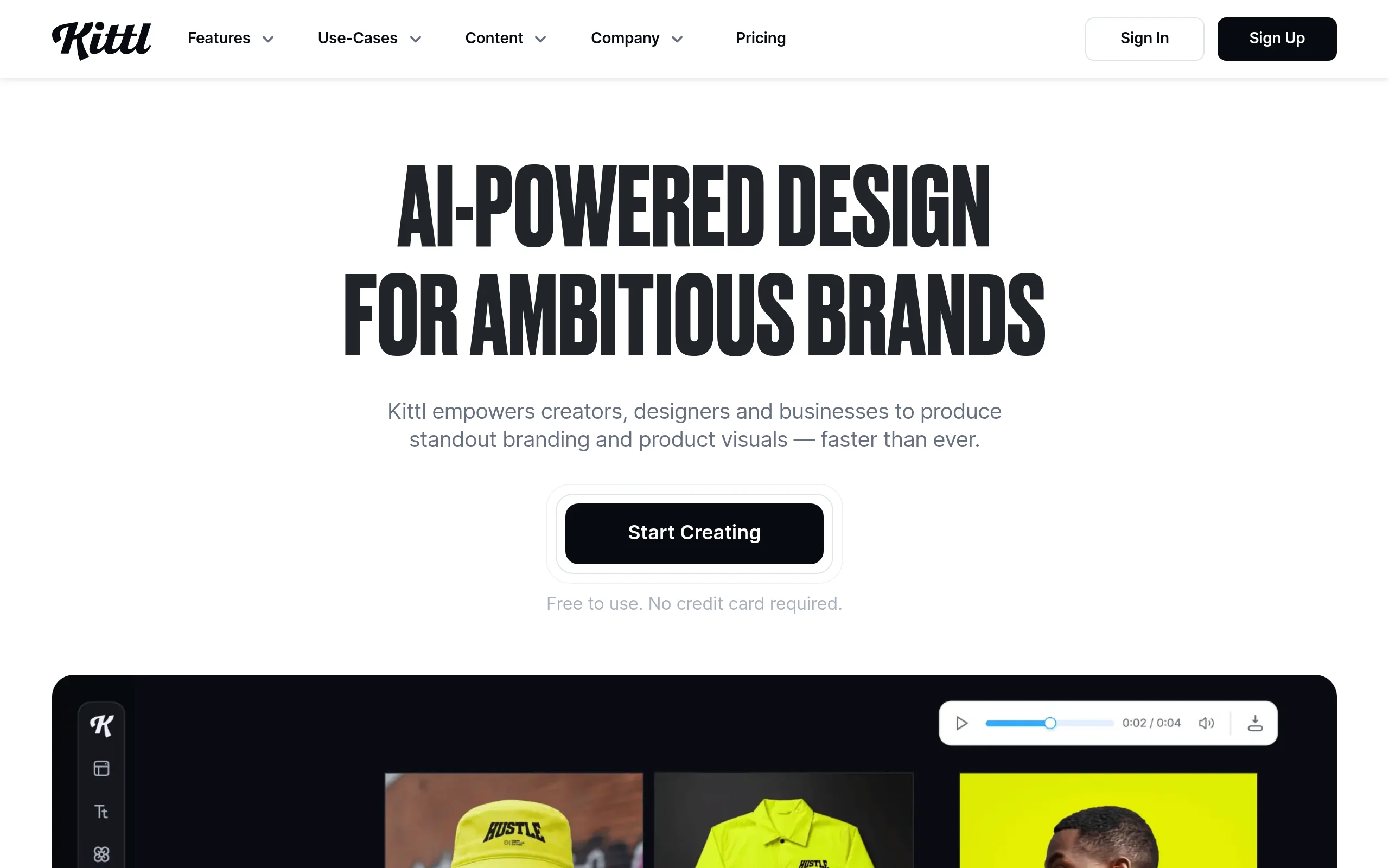
Mastering Design with Kittl: Your Complete Guide to the AI-First Design Platform
In today’s fast-paced digital world, the ability to create stunning visuals is crucial for entrepreneurs, content creators, and small business owners. However, not everyone has the time or budget to master complex software like Adobe Illustrator or hire a professional designer for every project. Enter Kittl, an AI-first design platform that is revolutionizing how we create graphics. Kittl empowers anyone, regardless of their design experience, to produce professional-quality logos, t-shirt designs, social media graphics, and illustrations with ease. By combining an intuitive, user-friendly editor with powerful artificial intelligence, Kittl simplifies the entire design process. This detailed tutorial will guide you through everything you need to know to start creating amazing designs on Kittl today.
What Makes Kittl Special?
Unlike traditional design tools that can have a steep learning curve, Kittl is built from the ground up to be accessible. Its secret weapon is the seamless integration of AI tools directly into the workflow. Imagine describing a logo idea in plain English and having multiple design concepts generated in seconds, or turning a simple sketch into a polished vector graphic with a few clicks. Kittl makes this possible. It’s more than just an editor; it’s a creative partner that handles the technical heavy lifting, allowing you to focus on your vision and brand story.
Getting Started with Kittl
Beginning your design journey with Kittl is a straightforward process designed to get you from sign-up to creation in minutes.
Creating Your Account
First, navigate to the Kittl website. Click on the “Sign Up” button, typically found in the top right corner. You can register using your email address, or through a convenient Google or Facebook account link. Kittl offers a free tier with generous features, which is perfect for exploring the platform. There are also Pro and Enterprise plans that unlock more advanced assets, higher-resolution exports, and commercial licenses, but you can achieve a tremendous amount with the free version.
Understanding the Dashboard
Once you log in, you’ll be greeted by the clean and organized Kittl dashboard. This is your command center. Here you will find:
- Your Recent Designs: Quick access to projects you’ve been working on.
- Create New Design Button: A prominent button to start a fresh project.
- Template Categories: Browse through curated templates for logos, merchandise, social media, and more.
- Inspiration & Tutorials: Sections to spark ideas and learn new techniques.
Take a moment to familiarize yourself with the layout. The interface is designed to be intuitive, with most tools accessible from the main editor once you start a project.
Starting Your First Project
Click the “Create New Design” button. You’ll be presented with two excellent starting points:
- Start from Template: Choose from Kittl’s massive library of professionally designed templates. Filter by category (e.g., YouTube Thumbnail, Business Logo, T-Shirt) to find a style that fits your need.
- Start from Scratch: Select a blank canvas with custom dimensions. This is great for unique projects or when you have a very specific vision.
For your first project, we recommend choosing a template related to a simple goal, like creating a Facebook post or a basic logo. This will help you learn the editor within a structured design.
Exploring the Key Features of Kittl
Kittl’s power lies in its feature set, which blends AI magic with robust design tools. Let’s break down the core components you’ll be using.
1. AI-Powered Text-to-Image Generation
This is arguably Kittl’s standout feature. Located within the editor, the AI Image Generator allows you to create unique artwork, icons, and design elements simply by typing a description. You don’t need to search for the perfect stock image; you can generate it. You can specify styles (e.g., “watercolor,” “cyberpunk,” “flat icon”), colors, and subjects to guide the AI, resulting in completely original assets for your project.
2. Vast Library of Templates and Assets
Kittl boasts a constantly growing library of high-quality, customizable templates. Every element in these templates—text, shapes, graphics—is editable. Beyond templates, you have access to a rich asset library including:
- Millions of premium stock photos and illustrations (with licensing clarity).
- Thousands of vector icons and shapes.
- Hundreds of stylish fonts.
- Pre-made text effects and artistic brushes.
This library ensures you’re never starting with a truly blank page.
3. Professional Vector Editing & Text Tools
Despite its simplicity, Kittl doesn’t compromise on professional capabilities. The vector editor lets you manipulate points, curves, and shapes with precision, similar to advanced software but with a more forgiving interface. The text tools are particularly powerful, allowing you to create stunning typography with effects like outlines, shadows, gradients, and even the ability to warp text into shapes or paths.
4. Dedicated Logo Maker and Mockup Generator
Kittl’s Logo Maker often uses AI to suggest concepts based on your company name and industry. You can then refine these concepts with unparalleled control over every element. Once your design is complete, the Mockup Generator is a game-changer. See your logo on a business card, your t-shirt design on a hoodie, or your label on a bottle. This feature provides a realistic preview that is invaluable for presentations and client approvals.
5. Collaboration and Sharing Features
Design is often a team effort. Kittl allows you to share your project with a link, granting others view or edit access. You can collaborate in real-time, leave comments, and work together seamlessly, making it perfect for agencies, small teams, or gathering feedback from clients.
How to Use Kittl: A Step-by-Step Walkthrough
Let’s create a simple logo for a fictional coffee shop called “Bean There” to see Kittl in action.
Step 1: Choose Your Starting Point
From your dashboard, click “Create New Design.” In the template search bar, type “Coffee Logo” and browse the options. Select a template that appeals to you as a starting foundation. The template will open in the main Kittl editor.
Step 2: Customize the Template
The editor interface is divided into key areas: the central Canvas, the left-side Layers Panel, and the top and right Toolbars.
- Click on any text element (like the business name) on the canvas. The text tools will appear on the right. Change the text to “Bean There“. Experiment with fonts from the dropdown menu.
- Click on graphical elements, like a coffee cup icon. You can change its color using the color picker, resize it by dragging the corners, or even delete it if you wish.
- Use the Layers Panel on the left to toggle visibility, lock elements, and reorder items (e.g., sending text behind an image).
Step 3: Incorporate AI-Generated Elements
Let’s add a unique graphic. On the left toolbar, find and click the “AI Image” icon. In the prompt box, type something like: “minimalist line art of a steaming coffee bean, single color“. Select a style (e.g., “Line Art”) and click generate. Kittl will produce several options. Choose your favorite, and it will be placed onto your canvas as a fully editable vector object. You can now move, scale, and recolor it to fit your design perfectly.
Step 4: Refine with Advanced Tools
With your main elements in place, use the advanced tools to polish:
- Select your main text and explore the “Effects” panel on the right. Add a subtle Offset Path to create a thin outline.
- Use the Shape Tools (from the left toolbar) to add a circle or badge behind the logo to frame it.
- Adjust the overall color scheme using the color palettes available in the design assets.
Step 5: Preview, Export, and Share
Once satisfied, use the Mockup Generator (often found under “File” or as a separate tab) to see your logo on a mug or a store sign. This confirms it looks great in context. Finally, click the “Export” button at the top right. Choose your desired format (PNG for web, JPG, SVG for vectors, PDF for print) and quality. You can download it directly or use the shareable link to present it to others for feedback.
Pro Tips for Success on Kittl
To elevate your designs from good to great, keep these practical tips in mind.
Leverage the Power of Prompts
When using the AI Image Generator, be specific and descriptive. Instead of “dog,” try “geometric silhouette of a corgi, bold colors, vector.” Combine style keywords (vector, watercolor, 3D render, vintage sticker) with subject and color details for the best results.
Master Layers and Grouping
As your designs become more complex, keep your Layers Panel organized. Rename layers (double-click the layer name) to “Background,” “Main Text,” “Icon,” etc. Select multiple elements and use “Group” (Ctrl/Cmd + G) to move and edit them as a single unit. This is essential for maintaining a clean workflow.
Experiment with Blending and Transparency
Don’t be afraid to use the Opacity slider and Blend Modes (like “Multiply” or “Overlay”) on your layers. These can create sophisticated effects, such as making textures blend seamlessly with backgrounds or creating depth by layering semi-transparent shapes.
Use Templates as a Learning Tool
Reverse-engineer templates you love. Dissect how professional designers use layers, effects, and spacing. This is one of the fastest ways to learn advanced design principles directly within the platform.
Save Your Brand Kit
If you’re working on a business project, consistently use your brand colors and fonts. Kittl allows you to save color palettes and favorite fonts for quick access, ensuring brand consistency across all your designs.
Conclusion: Your Design Journey Begins
Kittl successfully bridges the gap between professional-grade design output and beginner-friendly accessibility. By harnessing the creative power of AI alongside a comprehensive suite of editing tools, it removes the traditional barriers to graphic design. Whether you’re crafting a logo for your startup, designing merchandise for your brand, or creating engaging content for social media, Kittl provides the platform to bring your ideas to life quickly and beautifully. Start with a template, experiment with the AI, and don’t hesitate to explore every tool. Your journey to becoming a confident creator starts now at kittl.com.

Kittl AI-First Design Platform
An AI-powered design platform for creating logos, t-shirts, and graphics with templates and AI tools.