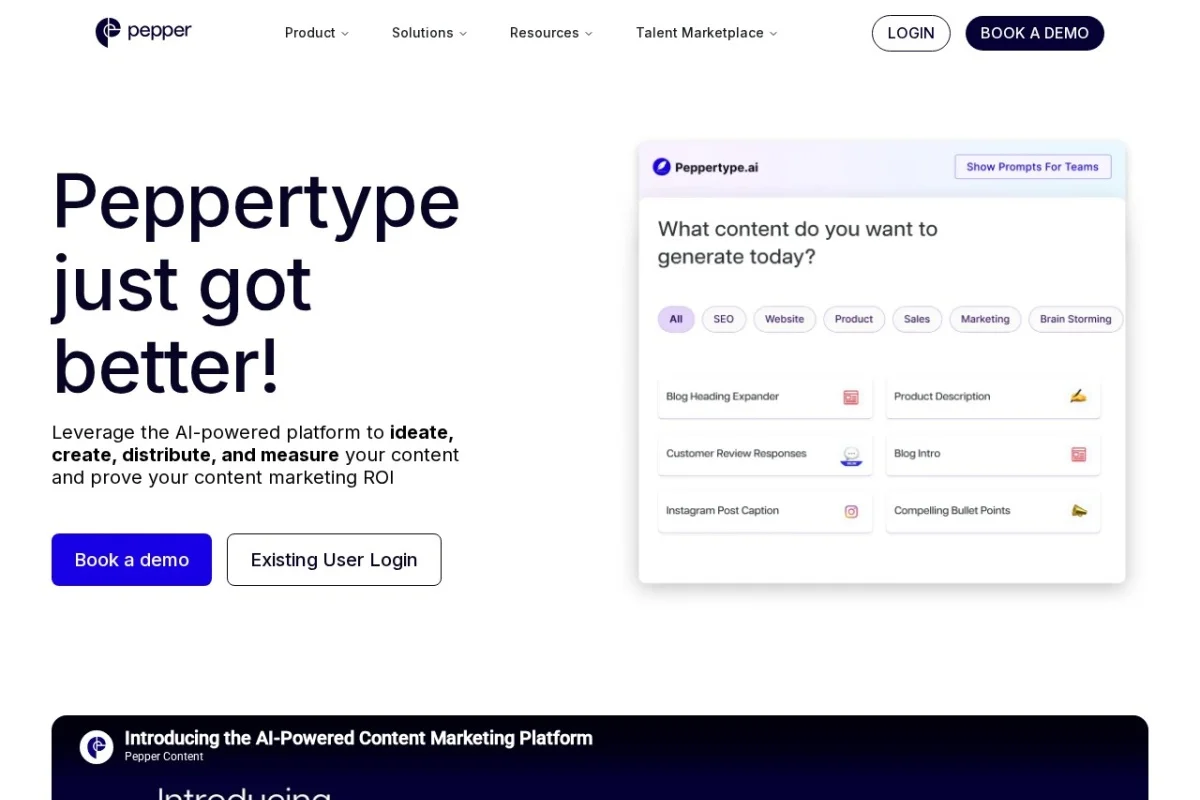
Introduction to Peppertype.ai
In the fast-paced world of digital marketing and content creation, producing high-quality material that ranks well in search engines and resonates with audiences is a constant challenge. Peppertype.ai offers a comprehensive solution by combining artificial intelligence with a robust suite of tools designed for teams. Unlike basic AI writers, Peppertype.ai focuses on the entire content lifecycle: ideation, creation, distribution, and measurement. Its standout feature is the Agentic AI Engine, which goes beyond simple text generation to include autonomous Search Engine Optimization (SEO) and Generative Engine Optimization (GEO) agents. This means the platform can actively monitor how your content performs across traditional search engines and emerging AI overviews, such as Google’s Search Generative Experience (SGE) or other large language model outputs.
This tutorial will guide you through the platform’s core features, from setting up your account to leveraging advanced tools like the Insight Engine and Brand Memory. By the end, you will have a practical understanding of how to use Peppertype.ai to streamline your content workflow, improve your search visibility, and maintain consistent brand messaging across all your outputs. The platform is designed for marketing teams, content strategists, and enterprise users who need a scalable, secure, and collaborative environment.
Getting Started with Peppertype.ai
Creating Your Account and Workspace
To begin, navigate to the Peppertype.ai URL and click on the “Get Started” or “Request a Demo” button. While the platform offers enterprise-grade features, the sign-up process is straightforward. You will need to provide your work email, create a password, and confirm your account via a verification link. Once logged in, you will be prompted to set up a workspace. A workspace is your central hub where all projects, team members, and content assets are organized. Give your workspace a descriptive name, such as “Marketing Team Q4” or “Content Hub.”
Inviting Team Members
Peppertype.ai’s Collaboration Suite is a key strength. After creating your workspace, go to the “Settings” or “Team” section. You can invite team members by entering their email addresses. You can assign roles such as Admin, Editor, or Viewer. This ensures that sensitive tasks like publishing or accessing the Insight Engine are controlled. Team members can work on the same document in real-time, leave comments, and track changes, similar to a Google Doc but with AI capabilities built in.
Navigating the Dashboard
The main dashboard is divided into several logical sections. On the left sidebar, you will find links to the AI Content Studio, Search Intelligence, Insight Engine, and Agentic AI Engine. At the top, there is a search bar to find existing content and a notification area for updates from your AI agents. Spend a few minutes clicking through each section to familiarize yourself with the layout. The platform is designed to be intuitive, but understanding where each tool lives will save you time later.
Key Features Explained
Agentic AI Engine for Autonomous SEO and GEO Agents
This is the most advanced feature of Peppertype.ai. An “agent” is an AI that works on your behalf without constant supervision. You can create an SEO agent that automatically analyzes your existing content, identifies keyword gaps, and suggests new topics based on real-time search data. Similarly, a GEO agent monitors how your brand appears in AI-generated answers (like ChatGPT or Google’s AI Overviews). It can recommend adjustments to your content strategy to ensure your brand is cited correctly. To use this, you define a goal (e.g., “Increase organic traffic for our blog by 20%”), and the agent works in the background, providing weekly reports and actionable tasks.
Search Intelligence for Monitoring Citations
One of the biggest challenges with AI-generated search results is knowing whether your content is being used as a source. The Search Intelligence module tracks mentions of your brand, products, or specific keywords across AI overviews and traditional search results. You can set up alerts for when your content is cited (or when competitors are cited instead). This data feeds directly into your content strategy, allowing you to double down on what works and fix what doesn’t.
Insight Engine for Real-Time Performance Analytics
The Insight Engine provides a dashboard that updates in real-time. It shows metrics like content engagement, conversion rates, and source attribution. For example, if you publish a blog post, the Insight Engine can tell you how many users interacted with it, which paragraphs they spent the most time on, and whether the post led to a desired action (like a newsletter signup). This feature uses a human-in-the-loop approach, meaning the AI flags anomalies or opportunities, but a human marketer makes the final decision.
AI Content Studio with Multi-Step Agents
This is where you write. The AI Content Studio is not a simple prompt-and-output tool. It uses multi-step agents that can perform complex tasks. For example, you can ask an agent to “Research the top 5 trends in fintech for 2024, write an outline, create a first draft in a professional tone, and then optimize it for SEO.” Each step is visible, and you can edit or approve the output before the agent moves to the next step. This ensures you maintain control over the creative process while benefiting from AI speed.
Brand Memory
Consistency is critical for brand recognition. Brand Memory allows you to upload a style guide, sample texts, and a list of forbidden words or phrases. The AI will remember your tone, voice, and messaging guidelines across all content. For instance, if your brand uses “customers” instead of “users,” the AI will automatically apply this rule. You can also set specific rules for different content types, such as “casual for social media posts” and “formal for white papers.”
Collaboration Suite
This includes live editing, version history, and direct publishing integrations. You can connect Peppertype.ai to your Content Management System (CMS) like WordPress, HubSpot, or Shopify. After a piece of content is approved, it can be published directly from the platform. The suite also includes a comment system and task assignments, making it ideal for editorial workflows.
How to Use Peppertype.ai: A Step-by-Step Guide
Step 1: Setting Up Brand Memory
Before you start writing, configure your Brand Memory. Go to the “Settings” menu and select “Brand Memory.” Click “Add New Rule.” You will see fields for “Tone” (e.g., professional, witty, empathetic), “Vocabulary” (add specific words to always use or avoid), and “Formatting Preferences” (e.g., use bullet points for lists). Upload a PDF of your brand style guide if you have one. The AI will scan it and extract rules automatically. Save your settings. This step ensures that all future content aligns with your brand identity without you having to remind the AI each time.
Step 2: Creating an SEO Agent
Navigate to the “Agentic AI Engine” section. Click “Create New Agent” and select “SEO Agent.” Give it a name, such as “Blog Growth Agent.” Define the scope: you can target specific domains (e.g., your blog section), keyword clusters, or geographic regions. The agent will ask for a goal, such as “Increase keyword rankings for [topic].” Set the frequency of reports (daily, weekly). The agent will then begin scanning search engine results pages (SERPs), competitor content, and AI overviews. You will receive a dashboard with suggestions, such as “Create a new article on ‘AI in healthcare ethics’ due to rising search volume.” You can accept or reject these suggestions directly.
Step 3: Writing Content with the AI Content Studio
Click on “AI Content Studio” and select “New Document.” You will see a prompt box. Instead of a simple command, use the multi-step agent feature. For example, type: “Step 1: Research the latest statistics on remote work productivity. Step 2: Create an outline with an introduction, three main points, and a conclusion. Step 3: Write a 1000-word blog post in a conversational tone. Step 4: Add SEO meta description and title tags.” The AI will process each step sequentially. You can stop at any step, edit the output, and then instruct the AI to continue. This human-in-the-loop process ensures quality control.
Step 4: Using Search Intelligence
Go to the “Search Intelligence” module. Click “Add New Monitor.” Enter a keyword or phrase, such as “best project management tools.” You can also add your brand name. The system will start tracking where this phrase appears in AI overviews and standard search results. Within a few hours, you will see a list of sources. If your content is cited, you will see a green checkmark. If not, you will see competitors. Click on “View Details” to see the exact snippet of text where the citation occurs. Use this data to inform your content strategy: if a competitor is frequently cited, analyze their content and adjust yours accordingly.
Step 5: Collaborating and Publishing
When your content is ready, invite a colleague to review it. Click the “Share” button in the top-right corner of the document. You can share a link with view or edit permissions. Your colleague can leave inline comments. Once approved, click “Publish.” If you have connected your CMS, you can choose the target platform (e.g., WordPress blog). The AI will format the content appropriately, including headings, images placeholders (you add images later), and metadata. After publishing, the Insight Engine will automatically begin tracking performance.
Step 6: Analyzing Performance with the Insight Engine
Open the “Insight Engine” dashboard. You will see a list of your published content. Click on any piece to see real-time metrics: views, time on page, scroll depth, and conversion actions. The AI also provides “Intelligence Notes” such as “Users who read this article also engaged with [another article].” Use this data to plan internal linking strategies. You can also set up automated reports that are emailed to your team weekly.
Tips for Getting the Most Out of Peppertype.ai
Tip 1: Invest Time in Brand Memory Setup
The quality of your AI’s output is directly proportional to the quality of your Brand Memory setup. Do not skip this step. Provide at least 10-15 examples of your best content, and clearly define what you do not want. If your brand avoids jargon, add a rule to “avoid industry jargon.” The AI will learn from these examples and your corrections over time, becoming more accurate.
Tip 2: Use Multi-Step Agents for Complex Projects
For long-form content like ebooks or white papers, do not try to generate everything in one go. Break the project into steps using the multi-step agent feature. For example, first generate a table of contents, then expand each chapter individually. This gives you more control and results in higher quality content. You can also assign different agents to different sections for a collaborative AI experience.
Tip 3: Monitor Your GEO Agent Weekly
The GEO agent is a new and powerful tool. Check its reports at least once a week. If you notice your brand is missing from AI overviews for important queries, use the “Optimization Suggestions” provided by the agent. Often, the fix is as simple as adding a clear definition or a FAQ section to your existing content. The agent will tell you exactly what to change.
Tip 4: Leverage the API for Custom Workflows
If you have a development team, explore the API access. You can integrate Peppertype.ai with your own tools, such as a custom CMS or a data analytics pipeline. For example, you can automatically generate product descriptions from a spreadsheet and push them to your e-commerce site. The API is well-documented and supports both REST and GraphQL.
Tip 5: Train Your Team on Human-in-the-Loop Principles
Peppertype.ai is designed to augment human creativity, not replace it. Train your team to always review AI outputs critically. The platform’s strength is in scaling ideas and drafting, but the final polish—fact-checking, adding unique insights, and ensuring emotional resonance—should always be done by a human. Use the collaboration features to create a review workflow where AI drafts are always reviewed by a senior editor before publishing.
Tip 6: Start with a Pilot Project
If you are new to the platform, do not try to use all features at once. Pick one project, such as writing a series of five blog posts. Use the AI Content Studio and Brand Memory for this project. Once you are comfortable, add the Search Intelligence module to track performance. Finally, activate an SEO agent. This phased approach reduces overwhelm and helps you measure the impact of each feature.
Tip 7: Use the Insight Engine for A/B Testing
The Insight Engine is not just for reporting; it can help you test content strategies. For example, write two versions of a headline for the same article. Publish one version, wait for data, then use the Insight Engine to see which headline drove more engagement. You can then update the article with the winning headline. The platform supports this iterative process seamlessly.
Peppertype.ai is a powerful tool for any team serious about content marketing and search visibility. By following this tutorial and implementing these tips, you will be able to harness its full potential, from autonomous agents that work around the clock to real-time insights that keep your strategy agile. Start with the basics, experiment with the advanced features, and always keep your brand voice at the center of your work.

Peppertype.ai
AI-powered platform to create, distribute, and measure quality content.