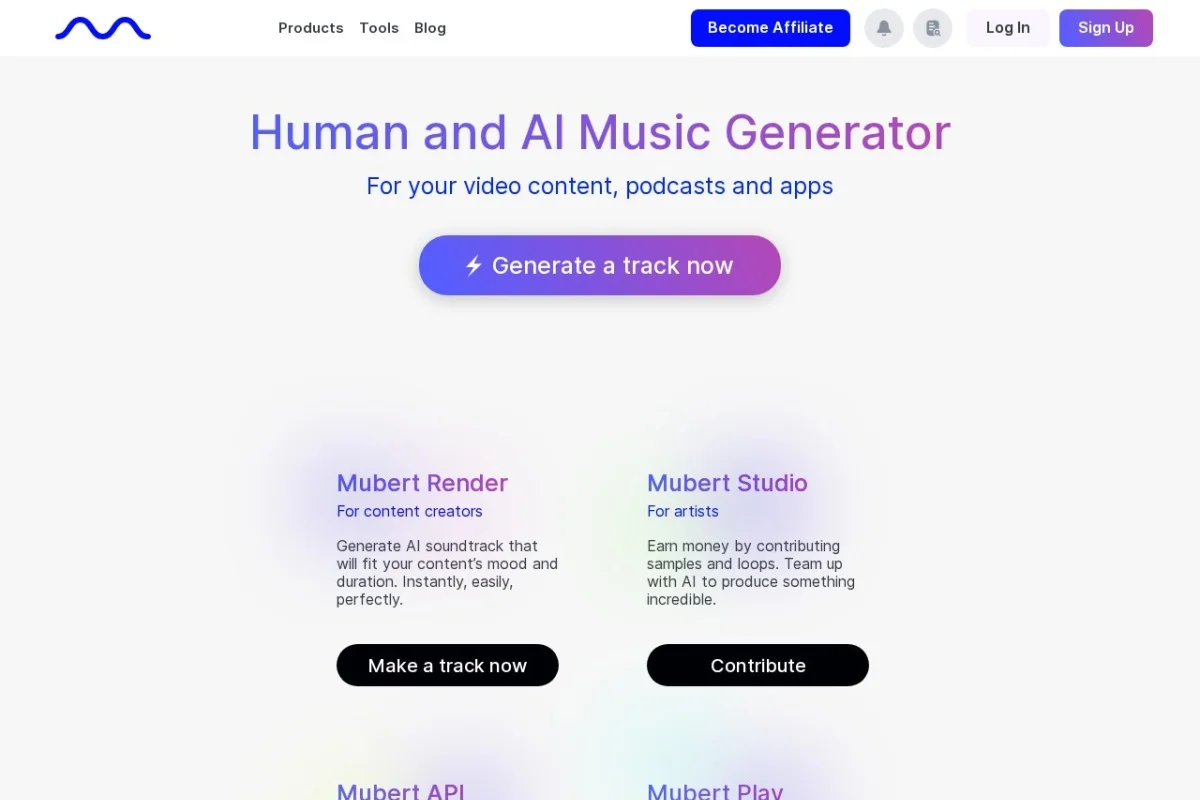
Introduction to Mubert AI Music Generator
Creating original, high-quality music for your projects has traditionally required expensive software, years of training, or hiring professional composers. Mubert changes this equation entirely. Mubert is an AI-powered music generator that uses sophisticated machine learning models combined with a vast catalog of artist-contributed samples to produce unique, royalty-free tracks on demand. Whether you are a YouTuber, podcaster, game developer, or brand manager, Mubert allows you to generate custom soundtracks in seconds without any musical expertise.
What sets Mubert apart from other AI music tools is its commitment to originality and legality. Every track generated is unique—you will never receive the same piece twice. More importantly, all music created through Mubert comes with a commercial license, meaning you can use it in monetized videos, advertisements, apps, and other commercial projects without worrying about copyright claims or royalties. This combination of instant generation, uniqueness, and legal safety makes Mubert an essential tool for modern content creators.
In this tutorial, you will learn everything you need to start using Mubert effectively. We will cover how to sign up, navigate the interface, generate music using different methods, and apply best practices to get the best results for your specific projects.
Getting Started with Mubert
Creating Your Account
To begin using Mubert, navigate to the official website at https://mubert.com/. Click the “Sign Up” button located in the top-right corner of the homepage. You can register using your email address or by connecting your Google or Apple account. The free tier allows you to generate a limited number of tracks per month, which is perfect for testing the platform before committing to a paid plan.
Understanding the Dashboard
Once logged in, you will see the main dashboard. This interface is designed to be intuitive, even for complete beginners. The central area is where your generated tracks will appear. On the left side, you will find navigation options including “Generate”, “My Tracks”, and “Library”. The top bar contains your account settings, subscription information, and a search function for browsing pre-made tracks if you prefer not to generate your own.
Choosing Your Subscription Plan
Mubert offers several pricing tiers. The free plan gives you a taste of the service with limited generations. Paid plans, such as the “Creator” or “Pro” subscriptions, unlock unlimited generations, higher audio quality, longer track durations, and priority support. For serious content creators, a paid subscription is highly recommended because it removes all restrictions and allows you to generate as many tracks as your projects require.
Key Features of Mubert
Real-Time AI Music Generation
The core feature of Mubert is its ability to generate music in real time. When you click the generate button, the AI immediately begins composing a track based on your inputs. This is not a pre-rendered loop or a simple remix—the AI creates original melodies, harmonies, rhythms, and arrangements on the fly using its trained models and the sample library. You can listen to the track as it is being generated, and if you like what you hear, you can save it instantly.
Prompt-Based Generation
Mubert allows you to generate music by typing a text prompt. For example, you could type “upbeat electronic music for a fitness video” or “calm ambient background for a meditation app”. The AI interprets your description and creates a track that matches the mood, tempo, and style you requested. This feature is incredibly powerful because it gives you direct control over the emotional tone of the music without needing to understand musical terminology.
Style and Length Selection
If you prefer a more structured approach, Mubert offers preset style categories. You can choose from genres such as Electronic, Hip Hop, Lo-Fi, Cinematic, Ambient, Pop, and many more. After selecting a style, you can also specify the desired track length, ranging from short 15-second clips ideal for social media to full-length tracks lasting several minutes. This combination of style and length selection ensures the music fits your project perfectly.
Royalty-Free Music with Commercial License
Every track generated through Mubert is 100% royalty-free and includes a commercial license. This means you can use the music in YouTube videos, podcasts, live streams, mobile apps, games, advertisements, and any other commercial or non-commercial project. You do not need to credit Mubert in your content (though it is appreciated), and you will never receive a copyright strike or be required to pay additional fees. This legal clarity is invaluable for creators who want to avoid the complexities of traditional music licensing.
Unique Tracks Every Time, No Repeats
Because Mubert generates music using AI rather than simply looping pre-made samples, every track you create is unique. Even if you use the exact same prompt and settings twice, the resulting music will be different each time. This ensures that your content has a distinctive sound and prevents the embarrassing situation where multiple creators end up using the same background music.
Mobile Apps for iOS and Android
Mubert is not limited to the web browser. The company provides dedicated mobile applications for both iOS and Android devices. These apps allow you to generate and download music directly from your smartphone or tablet. The mobile interface is streamlined for touch controls, making it easy to create tracks on the go. This is particularly useful for content creators who film and edit videos using mobile devices.
How to Use Mubert: Step-by-Step Guide
Method 1: Generating Music Using Text Prompts
This is the most flexible and creative way to use Mubert. Follow these steps:
- Step 1: Log into your Mubert account and navigate to the “Generate” section.
- Step 2: Locate the text input field labeled something like “Describe your track” or “Prompt”.
- Step 3: Type a detailed description of the music you want. Be specific about mood, tempo, instruments, and purpose. For example: “Slow, emotional piano piece with soft strings, suitable for a sad scene in a documentary.”
- Step 4: Optionally, set the desired track length using the slider or dropdown menu. Common options include 15 seconds, 30 seconds, 1 minute, 3 minutes, and 5 minutes.
- Step 5: Click the “Generate” button. The AI will begin composing, and you will hear the music start playing almost immediately.
- Step 6: Listen to the generated track. If you are satisfied, click the “Save” or “Download” button. If not, you can click “Generate Again” to create a new version.
Method 2: Generating Music Using Style and Mood Selection
If you are unsure what to type in a prompt, or you prefer a more guided experience, use the style-based generation:
- Step 1: Go to the “Generate” page and look for the “Style” or “Genre” section.
- Step 2: Browse through the available genres. Click on one that matches your project, such as “Lo-Fi Beats” for study music or “Cinematic Orchestral” for a dramatic video intro.
- Step 3: Some styles offer sub-options or mood filters. For example, after selecting “Electronic”, you might see choices like “Chill”, “Energetic”, or “Dark”.
- Step 4: Set the track length and click “Generate”. The AI will produce a track that fits the selected style.
- Step 5: Preview, save, or regenerate as needed.
Method 3: Browsing and Customizing Pre-Made Tracks
Mubert also hosts a library of pre-generated tracks created by the community or curated by the Mubert team. You can use these as a starting point:
- Step 1: Navigate to the “Library” or “Browse” section.
- Step 2: Use the search bar or filter options to find tracks by mood, genre, or tempo.
- Step 3: Click on a track to preview it. If you like it, you can download it directly.
- Step 4: Alternatively, you can use a pre-made track as a reference. Click the “Remix” or “Similar” button to generate a new track that is based on the style of the pre-made one.
Downloading and Using Your Music
Once you have generated a track you like, you need to download it. On the results page, look for a download icon or button. Mubert typically offers downloads in MP3 format, which is compatible with all video editing software, presentation tools, and social media platforms. After downloading, the file is yours to use according to the commercial license terms. You can edit the track, loop it, or combine it with other audio in your editing software.
Tips for Getting the Best Results from Mubert
Write Specific and Detailed Prompts
The quality of your generated music depends heavily on the quality of your prompt. Vague prompts like “happy music” will produce generic results. Instead, be descriptive. Include information about the genre (e.g., electronic, orchestral, acoustic), the mood (e.g., uplifting, melancholic, tense), the tempo (e.g., slow, moderate, fast), and the intended use (e.g., background for a cooking video, intro for a podcast). Example of a good prompt: “Upbeat funk track with a prominent bassline and brass section, suitable for a travel vlog.”
Experiment with Different Track Lengths
For social media content like Instagram Reels or TikTok videos, shorter tracks (15-30 seconds) are often more practical. For YouTube videos or podcasts, longer tracks (3-5 minutes) work better. Generate multiple versions of the same idea at different lengths to see which fits your editing workflow. Remember that you can also loop shorter tracks in your editing software if needed.
Use the Regenerate Feature Liberally
Do not settle for the first track you generate. Mubert’s AI is designed to produce variety, so generating the same prompt multiple times will give you different musical ideas. Generate three to five versions of the same prompt, then compare them. You might find that the second or third attempt captures the exact feeling you were looking for.
Combine Multiple Generated Tracks
For complex projects like video games or multi-scene videos, you can generate several tracks and combine them. For example, generate a calm ambient track for the introduction, a high-energy track for the action sequence, and a soft outro track. Use your video or audio editing software to fade between these tracks seamlessly. This approach gives your project a professional, dynamic soundtrack.
Understand the Limitations
Mubert is incredibly powerful, but it is not perfect. The AI may occasionally produce tracks that sound slightly repetitive or have unexpected changes in volume. If this happens, simply regenerate. Also, while the commercial license covers most uses, always check Mubert’s terms of service for any specific restrictions, especially if you are using the music in a product that you sell directly (such as a music album or a sample pack).
Save Your Favorite Prompts
When you find a prompt that consistently produces great results, save it in a text file or note-taking app. This allows you to quickly recreate similar tracks for future projects. You can also tweak saved prompts slightly to explore variations. For example, if “dark cinematic orchestral for a thriller” works well, try “dark cinematic orchestral for a horror game” to see how the AI adjusts.
Use the Mobile App for On-the-Go Creation
If you often create content while traveling or away from your computer, download the Mubert mobile app. The app includes all the core generation features and allows you to download tracks directly to your phone. You can then transfer the files to your computer or use them directly in mobile editing apps like CapCut or InShot.
Conclusion
Mubert AI Music Generator is a revolutionary tool that democratizes music creation. By combining advanced AI with a vast library of samples, it puts professional-quality, legally safe, and unique music into the hands of every content creator. Whether you need a 15-second intro for a social media post or a 5-minute background track for a documentary, Mubert can deliver it in seconds.
The key to success with Mubert is experimentation. Write detailed prompts, try different styles, generate multiple versions, and do not be afraid to combine tracks. With practice, you will develop an intuition for how to communicate your musical needs to the AI, resulting in soundtracks that elevate your content to a professional level. Start generating your first track today, and experience the future of music creation.

Mubert AI Music Generator
AI-powered platform for generating unique, royalty-free music in real-time.