Introduction to Kaggle: Your Gateway to Data Science
Kaggle is the world’s largest and most vibrant community of data scientists and machine learning practitioners. Founded in 2010 and now part of Google Cloud, Kaggle serves as a central hub where over 10 million users come together to learn, share, and compete. Whether you are a complete beginner who has never written a line of Python code or a seasoned machine learning engineer, Kaggle provides an unparalleled ecosystem for developing your skills and solving real-world problems.
At its core, Kaggle is a platform that democratizes data science. It removes the traditional barriers to entry, such as the need for expensive hardware, access to large datasets, or a formal education in the field. Through its integrated tools, you can write code, train models, and collaborate with experts—all from your web browser, entirely for free. This tutorial will guide you through everything you need to know to get started, use its key features, and maximize your learning experience.
Getting Started with Kaggle
Creating Your Account
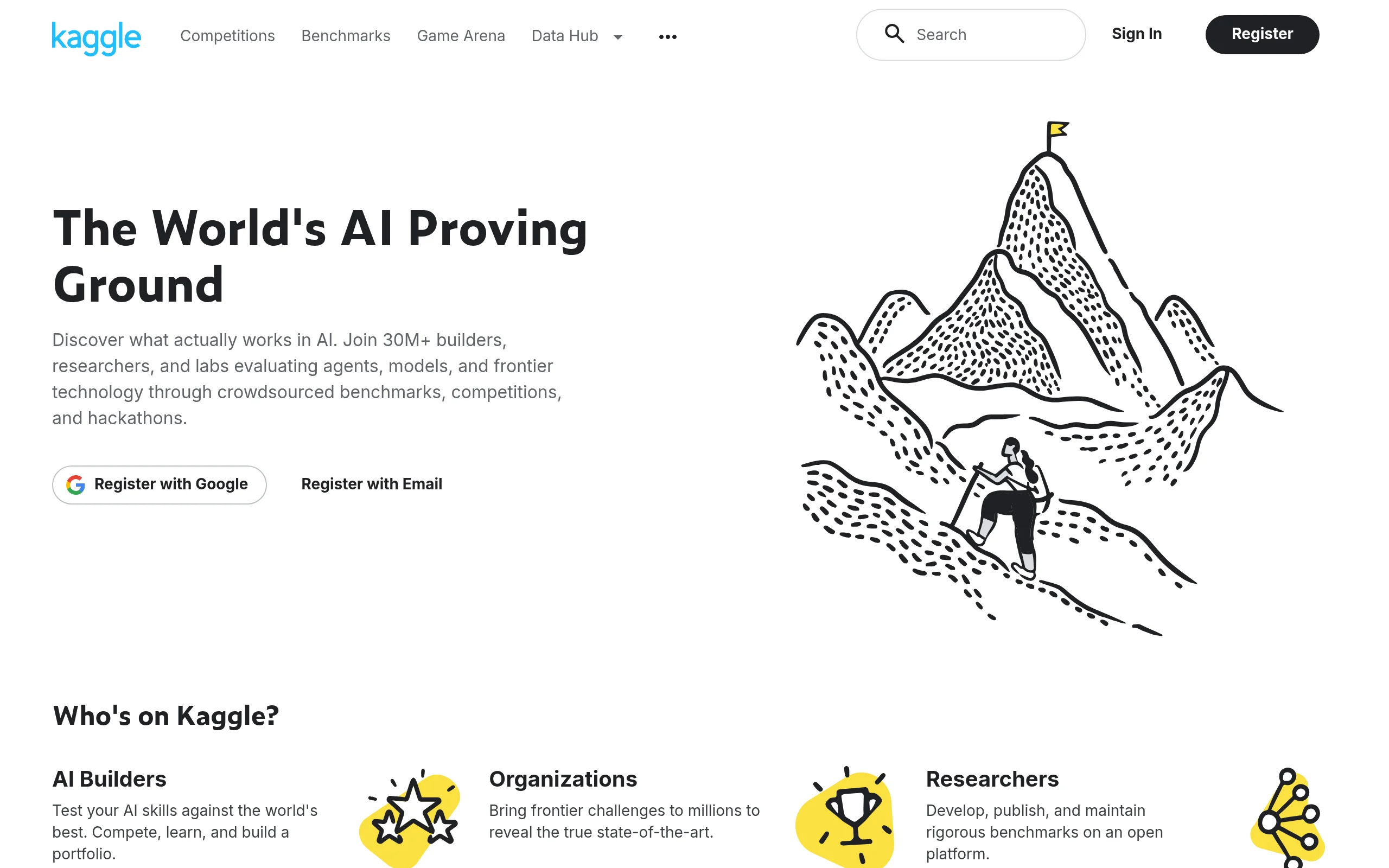
The first step is to sign up for a free account. Visit https://kaggle.com and click the “Register” button. You can sign up using your Google account, your email address, or your Apple ID. Once you confirm your email, you will have full access to the platform. It is recommended to complete your profile by adding a short bio and your areas of interest, as this helps you connect with like-minded community members.
Understanding the Dashboard
After logging in, you will see your personal dashboard. This is your command center. The top navigation bar gives you access to the main sections:
- Competitions: Where you solve problems and win prizes.
- Datasets: A vast repository of publicly available data.
- Code (Notebooks): Where you write and run Python or R code.
- Courses: Short, interactive lessons on data science topics.
- Discussions: The community forum for asking questions and sharing knowledge.
Take a few minutes to click through these sections. The layout is intuitive, and you will quickly find your way around.
Key Features of Kaggle
Kaggle is not just one tool; it is a suite of interconnected features. Understanding each one is crucial to using the platform effectively.
1. Data Science Competitions
This is Kaggle’s most famous feature. Companies, governments, and research institutions post real-world problems, often with cash prizes. You download the data, build a predictive model, and submit your predictions. Your submission is automatically scored against a hidden test set, and you are ranked on a public leaderboard. Competitions range from beginner-friendly “Getting Started” competitions (like the classic Titanic survival prediction) to high-stakes, multi-million dollar challenges.
2. Public Datasets
Kaggle hosts thousands of datasets on virtually every topic imaginable: healthcare, finance, sports, climate, gaming, and more. Each dataset has a dedicated page with a description, a data explorer tool, and a discussion tab. You can upload your own datasets for public use or keep them private for your projects. This feature is invaluable for practicing new techniques or finding data for personal projects.
3. Kaggle Notebooks (Code)
This is the heart of the platform’s practical functionality. A Notebook is a cloud-based environment that runs Jupyter Notebooks (or R scripts). You can write code, visualize data, and train machine learning models. The most exciting aspect is the free access to GPUs (Graphics Processing Units) and TPUs (Tensor Processing Units). These are specialized hardware accelerators that can dramatically speed up the training of deep learning models. You can toggle between a CPU, GPU (NVIDIA Tesla P100), or TPU (v3-8) in your notebook settings.
4. Micro-Courses
Kaggle offers a series of short, practical courses called “Micro-Courses.” These are designed to be completed in a few hours and cover specific skills like Python, Pandas, Data Visualization, Machine Learning, and Deep Learning. Each course consists of short tutorials followed by hands-on coding exercises that run directly in your browser. There are no video lectures; the focus is entirely on learning by doing.
5. Community Discussions
The Discussions forum is where the community thrives. You can ask technical questions, share your projects, find teammates for competitions, and read tutorials written by top competitors. This is an excellent resource for troubleshooting errors and learning advanced techniques. The community is known for being welcoming to beginners.
How to Use Kaggle: A Step-by-Step Guide
Step 1: Explore and Download a Dataset
Let’s start with a practical example. Navigate to the “Datasets” tab. Use the search bar to find a popular dataset like “Titanic” or “Iris.” Click on a dataset to open its page. You will see an “Data” tab that shows the first few rows of the data, a “Notebooks” tab where you can see code others have written, and a “Download” button. For most work, you do not need to download the file; you can access it directly from a notebook.
Step 2: Create a New Notebook
On the dataset page, click the “New Notebook” button (usually blue, located on the top right). This will open a new browser tab with a fresh notebook. The interface is divided into two main parts:
- The Sidebar (Right): This shows the dataset files you have access to. You can click on a file to see its contents or copy its file path.
- The Editor (Left): This is where you write your code in cells. You can add new cells using the “+ Code” or “+ Markdown” buttons.
Step 3: Write Your First Code
In the first code cell, type the following Python code to load the dataset you selected (using the Titanic dataset as an example):
import pandas as pd
df = pd.read_csv(‘/kaggle/input/titanic/train.csv’)
df.head()
Press Shift + Enter to run the cell. You will see the first five rows of the data printed below the cell. Congratulations—you have just run your first Kaggle notebook! You can now add more cells to clean the data, create visualizations, or build a machine learning model.
Step 4: Enable GPU or TPU
If you want to train a deep learning model (e.g., a neural network), you will need more power. Click on the “Settings” icon (looks like a gear or sliders) on the right side of the notebook toolbar. Under “Accelerator,” select “GPU” or “TPU.” Note that TPU sessions have a usage limit per week, but they are extremely fast for certain types of models. Once selected, your notebook will restart with the new hardware. You can verify it is working by running a small code snippet like import tensorflow as tf; print(tf.config.list_physical_devices(‘GPU’)).
Step 5: Save and Share Your Work
Your work is automatically saved to your Kaggle account. You can give your notebook a meaningful name by clicking on the title at the top. To share it, click the “Share” button. You can make it public (visible to everyone) or keep it private. If you make it public, other users can view, comment on, and even copy (“fork”) your notebook. This is how the community learns from each other.
Step 6: Enter a Competition
Once you are comfortable with notebooks, try a competition. Go to the “Competitions” tab and filter by “Getting Started.” Click on the “Titanic – Machine Learning from Disaster” competition. Read the description, accept the rules, and click “Join Competition.” You will see a “Data” tab with training and test files. Create a notebook from this competition data, build your model, and generate predictions. To submit, save your predictions as a CSV file in the correct format, then use the “Submit Predictions” button on the competition page. You will instantly see your score and rank.
Step 7: Take a Micro-Course
If you feel you need to learn a specific skill, navigate to the “Courses” tab. Choose a course like “Intro to Machine Learning” or “Data Visualization.” Each course has a series of lessons. Click “Start Course,” read the tutorial, and complete the coding exercises. The exercises are automatically graded, giving you immediate feedback. This is the fastest way to fill gaps in your knowledge.
Tips for Success on Kaggle
To get the most out of Kaggle, follow these practical tips that experienced users swear by.
Start with the “Getting Started” Competitions
Do not jump into complex competitions with thousands of participants. Begin with the “Getting Started” competitions like Titanic, Spaceship Titanic, or Digit Recognizer. These have simpler datasets and extensive community tutorials. Your goal here is not to win, but to learn the submission pipeline and build confidence.
Learn by Reading and Forking Top Notebooks
One of the best learning strategies is to study notebooks from top competitors. After joining a competition, go to the “Code” tab and sort notebooks by “Most Votes.” Open a notebook, read the explanations, and then click “Fork” (copy) it to your account. Run the code to see how it works. Then, try to modify it: change a parameter, try a different algorithm, or visualize the data differently. This hands-on modification is far more effective than passive reading.
Use the Discussion Forums Wisely
When you get stuck, search the Discussions forum first. Chances are someone has already asked your question. If not, post a detailed question. Include the code you tried, the error message you received, and what you expected to happen. The community is very responsive, but they appreciate well-structured questions. Also, do not be afraid to answer questions from other beginners; teaching is a powerful way to solidify your own understanding.
Manage Your GPU and TPU Quota
Kaggle provides free GPU access for up to 30 hours per week and TPU access for a limited amount of time. To make the most of this, turn off the accelerator when you are not actively training a model. You can do this by going to the notebook settings and selecting “None” as the accelerator. Also, avoid running unnecessary loops or leaving notebooks idle while connected to a GPU. This ensures you have enough quota when you really need it.
Focus on the Process, Not the Leaderboard
It is easy to become obsessed with your ranking on a competition leaderboard. Remember that the leaderboard is often noisy, and small improvements in score may be due to luck. Instead, focus on what you are learning: feature engineering, cross-validation, hyperparameter tuning, and model interpretation. The skills you build are far more valuable than a temporary rank. Set a personal goal, such as “I will try three different models” or “I will create five new features,” rather than “I will reach the top 10%.”
Build a Portfolio of Public Notebooks
Your public Kaggle profile acts as a living portfolio. When you create high-quality, well-documented notebooks, they become visible to potential employers and collaborators. Aim to create at least one polished notebook per month. Include clear markdown explanations, informative visualizations, and a summary of your findings. This demonstrates not only your technical skills but also your ability to communicate complex ideas—a highly sought-after trait in data science.
Participate in Community Events
Kaggle occasionally runs special events like “Kaggle Days” (meetups), “Playground Competitions” (fun, low-stakes challenges), and “Tabular Playground Series” (synthetic datasets for practice). Participating in these events exposes you to new problem types and helps you network with other data scientists. You can also join the “Kaggle Discord” or follow the official Kaggle social media channels to stay updated.
Conclusion
Kaggle is more than just a website; it is a complete learning ecosystem that can take you from a complete novice to a competent data scientist. By leveraging its free datasets, cloud notebooks with GPU/TPU, structured micro-courses, and a supportive community, you have everything you need to succeed. Start small, be consistent, and never hesitate to ask for help. The data science journey is a marathon, not a sprint, and Kaggle is the perfect training ground. Open your browser, create your account, and write your first line of code today. The world of data is waiting for you.
Kaggle
Kaggle is a platform for data science competitions and collaboration.