Introduction
Artificial intelligence is reshaping how users find information. Instead of scrolling through search engine results, millions of people now ask tools like ChatGPT, Claude, Gemini, and Perplexity for direct answers. For brands, this shift presents a critical challenge: if your company is mentioned in AI-generated answers, is it represented accurately and positively? If you are not mentioned at all, how do you know what content to create to change that?
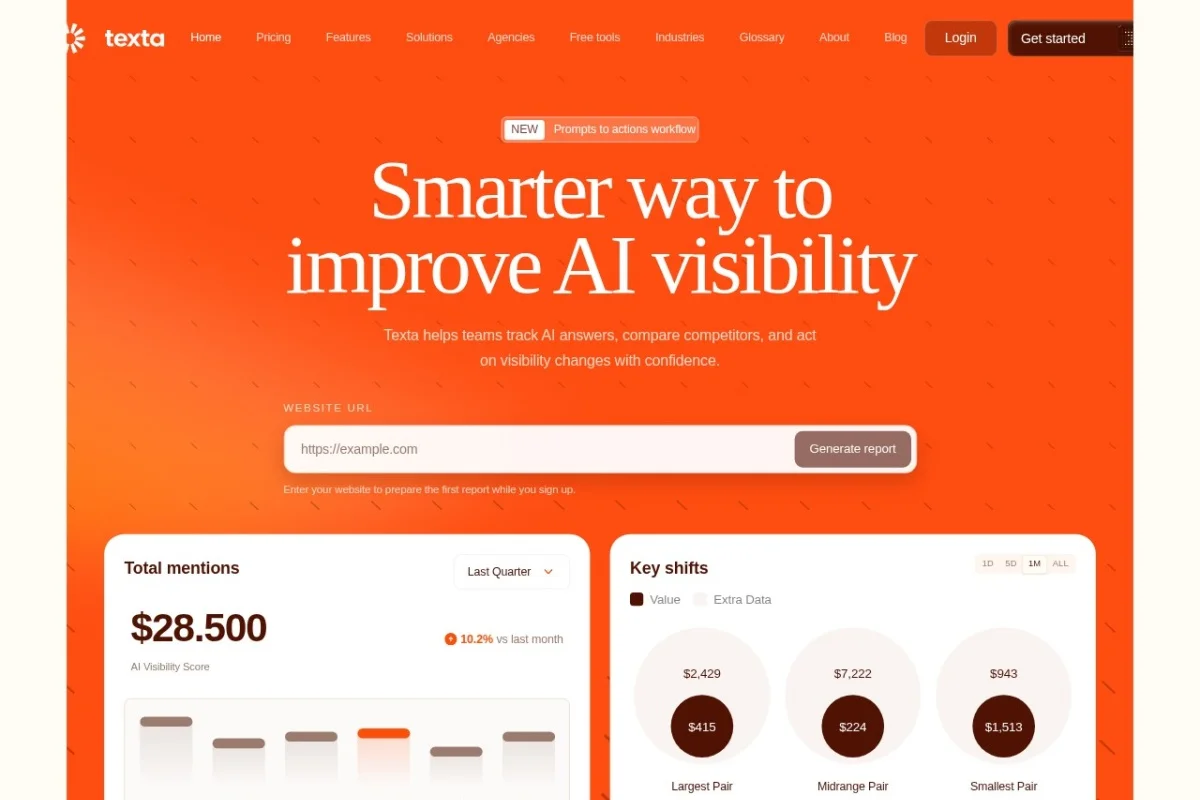
Texta AI Brand Visibility Platform is a purpose-built solution for this new reality. It is the first dedicated tool that allows marketing teams, PR professionals, and brand managers to monitor, analyze, and improve how their brand appears within AI-generated answers. Instead of guessing what AI models say about your company, Texta provides a live, consolidated dashboard that tracks prompts, mentions, sources, and competitor activity across multiple AI models.
This tutorial will walk you through everything you need to know to get started with Texta, from setting up your first project to interpreting analytics and taking actionable steps. By the end, you will have a clear, practical understanding of how to use this platform to protect and grow your brand’s visibility in the age of AI search.
Getting Started
Creating Your Account
Navigate to https://texta.ai/ and click the “Get Started” or “Sign Up” button. You can register using your work email address or sign in with Google or LinkedIn for faster onboarding. Texta offers a free trial tier, so you can explore the core features before committing to a paid plan. After confirming your email, you will be directed to the main dashboard.
Setting Up Your First Brand Project
Once inside the platform, you will see a prompt to create your first “Brand Project.” Click the “+ New Project” button. You will be asked to enter:
- Brand Name: The exact name of your company (e.g., “Acme Corp”).
- Alternative Names: Any common variations, acronyms, or previous brand names (e.g., “Acme,” “ACME Inc.”).
- Primary Website URL: Your official domain, so Texta can track which sources are used to generate answers about you.
- Competitor Brands: Up to five competitors you want to benchmark against. You can add or edit these later.
After saving, Texta will immediately begin scanning AI models for mentions of your brand. The initial scan may take a few minutes as the platform queries multiple AI systems. You do not need to do anything else—the data will populate automatically.
Understanding the Dashboard Layout
The main dashboard is divided into several key areas:
- Left Navigation Bar: Links to Overview, Prompts, Mentions, Sources, Competitors, and Settings.
- Top Summary Bar: Shows total prompts tracked, total mentions, average sentiment, and recent answer shifts.
- Main Panel: Displays the selected section’s data, usually in charts, tables, or cards.
Take a moment to click through each section. The interface is designed to be intuitive, but familiarizing yourself with the layout will save time later.
Key Features
Track Total Prompt Insights with Live Analytics
This is the foundation of Texta. The platform continuously runs prompts related to your industry, keywords, and brand name across multiple AI models. It records every time an AI model generates an answer that includes your brand. The live analytics update in near real-time, showing you:
- Volume: How many prompts generated a mention of your brand.
- Trend: Whether mentions are increasing, decreasing, or stable over days and weeks.
- Model Breakdown: Which AI models (ChatGPT, Claude, Gemini, etc.) mention you most often.
This data helps you understand your baseline visibility. If you launch a PR campaign or publish new content, you can watch the numbers change within hours.
Analyze Brand Mention Patterns Across Models
Not all AI models behave the same way. One model might describe your brand as “a leader in cloud computing,” while another might say “a company that provides cloud services.” Texta captures these differences by analyzing the context of each mention. You can:
- View the exact AI-generated text where your brand appears.
- See the prompt that triggered the mention (e.g., “What are the best CRM platforms?”).
- Filter by sentiment (positive, neutral, negative) to quickly spot problematic responses.
- Identify patterns: For example, you might discover that Claude often associates your brand with a specific product feature, while ChatGPT focuses on your company’s history.
This granular view helps you tailor your messaging and content strategy for different AI ecosystems.
View Consolidated Source Impact Dashboard
AI models do not invent facts from nothing—they rely on training data and, increasingly, on real-time web sources. Texta’s Source Impact Dashboard reveals which external websites, articles, and documents are most frequently cited when AI answers mention your brand. This is invaluable because it tells you exactly which pieces of content are influencing AI outputs. You can see:
- Top sources: The URLs that appear most often in citations.
- Domain authority: Estimated trustworthiness of each source.
- Recency: Whether the sources are current or outdated.
If an outdated blog post from 2019 keeps appearing in AI answers, you know to update or retire that content. If a new press release is being cited, you can double down on similar PR efforts.
Benchmark Competitors in AI Answers
Competitive analysis is a core strength of Texta. You can add up to five competitors to your project. The platform then tracks how often each competitor appears in AI answers, under what contexts, and with what sentiment. The benchmark dashboard shows:
- Share of voice: What percentage of AI answers in your industry mention your brand versus competitors.
- Mention velocity: How quickly each brand’s mention count is growing.
- Top prompts for competitors: Which questions are driving mentions of rival brands.
This data helps you identify gaps. For example, if a competitor is frequently mentioned in answers about “sustainable packaging” and you are not, you know exactly where to focus your content creation.
Real-Time Answer Shift Detection
AI models update frequently. A response that was accurate yesterday might change tomorrow. Texta continuously re-scans prompts and flags any changes in how your brand is described. This is called Answer Shift Detection. When a shift occurs, you receive an alert (via email or in-app notification) showing the old answer versus the new answer. This allows you to:
- React quickly to negative shifts (e.g., a positive mention turning neutral).
- Celebrate positive shifts (e.g., a promotion from “a company” to “the industry leader”).
- Investigate the cause: Did a new article appear? Did a competitor launch a product?
Real-time detection turns brand monitoring from a weekly report into a proactive, daily practice.
How to Use Texta
Step 1: Define Your Tracking Scope
After your project is created, go to Settings > Tracking Scope. Here you can refine what Texta monitors. You can add:
- Keywords: Industry terms, product names, or campaign hashtags.
- Exclude terms: Words that might cause false positives (e.g., if your brand name is “Apple,” you can exclude mentions related to fruit).
- Geographic focus: If your brand operates in specific countries, you can prioritize prompts in those languages or regions.
Be specific but not overly narrow. A good rule of thumb is to start with 10–15 keywords and adjust after the first week of data.
Step 2: Review Your Daily Digest
Texta sends a daily or weekly digest (you choose the frequency). Open this email or check the dashboard each morning. Focus on three things first:
- Mention count: Did it go up or down compared to yesterday?
- New shifts: Are there any answer changes flagged?
- Top sources: Which new URLs appeared?
Spend 5–10 minutes scanning these items. Over time, you will develop a sense of what is normal for your brand and what requires immediate attention.
Step 3: Dive into Mention Patterns
Once a week, open the Mentions tab. Use the filters to sort by model, sentiment, or date range. Read through a sample of the actual AI-generated text where your brand appears. Ask yourself:
- Is the description accurate?
- Does it highlight our strengths?
- Is it using outdated information?
- Is the tone consistent with our brand voice?
Take notes on any recurring issues. For example, if multiple AI models describe your product as “expensive,” you might need to publish content that emphasizes value or ROI.
Step 4: Use the Source Impact Dashboard
Navigate to the Sources tab. This will show you a ranked list of URLs. Click on any URL to see how many times it was cited and in which AI answers. Use this information to:
- Update outdated sources: If a 2020 blog post is still being cited, update it with current data and republish.
- Amplify high-impact sources: If a specific press release or article is driving positive mentions, promote it further.
- Remove negative sources: If a critical review or incorrect article is being cited, work on getting it corrected or de-indexed.
Step 5: Benchmark and Strategize
Go to the Competitors tab weekly. Compare your share of voice with each competitor. If you see a competitor gaining ground, click on their profile to see which prompts are driving their mentions. This reveals their content strategy. For instance, if they are being cited for “best remote work tools,” you can create better, more authoritative content on that same topic.
Use the Export button to download a PDF or CSV report of your findings. Share this with your content, PR, and product teams to align on priorities.
Step 6: Set Up Alerts and Actions
In the Alerts section of Settings, configure notifications for specific events:
- Negative sentiment: Get an alert if your brand appears in a negative context.
- Competitor overtake: Receive a notification if a competitor surpasses your share of voice.
- Source change: Be alerted if a new source becomes the top citation for your brand.
When you receive an alert, use the platform’s built-in note-taking feature to log your planned action. For example, “Contact PR team about negative article on Site X.” This turns monitoring into a workflow.
Tips for Getting the Most Out of Texta
Start with a Clear Goal
Before diving into the data, define what success looks like. Are you trying to increase positive mentions by 20% in three months? Reduce negative sentiment? Outrank a specific competitor? Having a clear goal will help you focus on the most relevant metrics and avoid getting overwhelmed by the volume of data.
Update Your Content Library Regularly
AI models favor fresh, authoritative content. Make it a habit to publish new blog posts, press releases, and case studies at least twice a month. Use Texta’s Source Impact Dashboard to identify which topics are currently driving mentions, and create more content around those themes.
Monitor Your Competitors’ Moves
Do not just watch your own brand. Pay attention to what competitors are doing when their share of voice increases. Did they launch a new product? Get featured in a major publication? Run a viral campaign? Use these insights to inform your own strategy.
Combine with Traditional SEO
Texta is not a replacement for SEO—it is a complement. Use your existing SEO tools to identify high-traffic keywords, then check Texta to see if those keywords are driving AI mentions. If a keyword has high search volume but low AI mention volume, it is a gap you can fill with optimized content.
Share Reports Across Teams
AI brand visibility is not just a marketing concern. Share your Texta reports with customer support (to prepare for questions about AI answers), product teams (to highlight features being discussed), and executive leadership (to demonstrate brand health). The consolidated dashboard makes it easy to generate stakeholder-friendly summaries.
Test Different Prompts Manually
While Texta automates prompt tracking, you can also manually test specific questions in the platform’s “Prompt Lab” (if available in your plan). Try variations like “What is the best [your industry] software?” versus “Alternatives to [competitor].” This helps you understand the nuance of how AI models interpret different phrasings.
Review Answer Shifts Immediately
When you receive an answer shift alert, do not ignore it. Even if the change seems minor, it could signal a larger update in the AI model’s knowledge base. Investigate the new source or context right away. Early detection gives you time to respond before the shift affects a wider audience.
Use the Free Trial to Explore
If you are still unsure about committing, use the free trial to track one brand and one competitor for two weeks. This will give you enough data to evaluate whether the platform fits your workflow. Pay attention to how much time you save compared to manually querying AI models.
Keep Your Brand Information Accurate
Ensure that your official website, Wikipedia page (if applicable), and major review sites (G2, Capterra, Trustpilot) are up to date. AI models often pull from these sources. If your company has changed its product name or pricing, update these external profiles immediately.
Be Patient with Trends
AI mention patterns can fluctuate day to day. Do not overreact to a single day of low mentions. Look at 7-day and 30-day trends to see the bigger picture. Consistent, steady growth is more valuable than occasional spikes.
Texta AI Brand Visibility Platform is a powerful tool for any organization that wants to understand and influence its presence in the AI-driven information landscape. By following this tutorial, you can move from setup to strategic action in a matter of hours. Start by tracking your brand, benchmark against competitors, and use the source and pattern insights to create content that AI models will cite accurately and positively. The age of AI search is here—make sure your brand is seen in the best possible light.

Texta AI Brand Visibility Platform
Monitor AI brand visibility, track AI answers, and benchmark competitors.