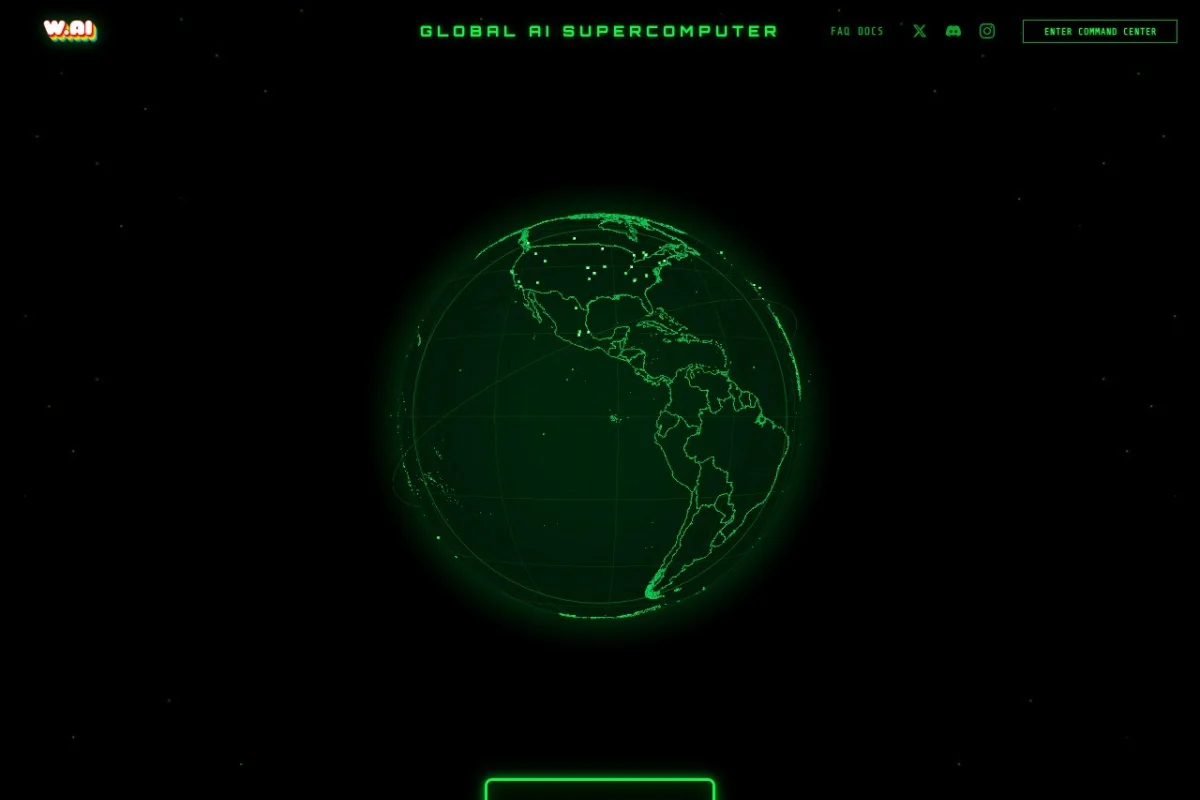
Introduction to W.AI: The World’s First Decentralized AI Supercomputer
Artificial Intelligence is rapidly transforming our world, but the computing power required to run advanced AI models remains expensive, centralized, and controlled by a handful of large corporations. W.AI, accessible at https://www.wombo.ai/, offers a revolutionary alternative. It is the world’s first decentralized AI supercomputer, built on a global network of everyday devices. Instead of relying on massive, energy-hungry data centers, W.AI connects millions of individual GPUs from laptops, desktops, and even gaming consoles to create a single, powerful, and open compute substrate for what the team calls “open superintelligence.”
The core idea is simple yet powerful: your device likely has a graphics processing unit (GPU) that sits idle for large portions of the day—while you sleep, work, or browse the web. W.AI allows you to contribute this idle GPU power to a global network. In return, you earn W COIN, a digital token that rewards you for your contribution. This creates a permissionless ecosystem where anyone with a GPU can participate in the future of AI computing, whether as a provider of computing power or as a consumer of AI services.
Beyond the economic incentive, W.AI places a strong emphasis on privacy and security. Using advanced zero-knowledge cryptographic techniques, the platform ensures that your data and the AI computations you perform remain private. The decentralized architecture means there is no single point of failure or control. Every task runs in a sandboxed execution environment, protecting your device from malicious code. This tutorial will walk you through everything you need to know to get started with W.AI, from understanding its features to earning your first W COIN.
Getting Started with W.AI
Before you begin contributing to the W.AI network, you need to understand the basic requirements and setup process. The platform is designed to be beginner-friendly, but a few preparatory steps will ensure a smooth experience.
System Requirements
W.AI is designed to support any device with a GPU. This includes:
- Windows PCs (most common, with NVIDIA or AMD GPUs)
- macOS devices (especially those with Apple Silicon M1, M2, or M3 chips)
- Linux machines (Ubuntu, Fedora, and other distributions)
- Gaming consoles (specific models may be supported in future updates)
Your device should have a stable internet connection, at least 4GB of RAM, and sufficient cooling to handle extended GPU usage. While W.AI is efficient, running your GPU at full capacity for long periods can generate heat, so ensure your device has adequate ventilation.
Creating Your W.AI Account
To get started, visit the official website at https://www.wombo.ai/. Look for the “Sign Up” or “Get Started” button. You will be asked to provide an email address and create a password. After verification, you will have access to your personal dashboard. This dashboard is your command center, where you can view your earnings, monitor your device’s contribution, and see global network statistics.
Downloading and Installing the W.AI Client
Once your account is created, download the W.AI client software. The client is a lightweight application that runs in the background on your device. It manages the secure connection to the network, allocates your GPU resources, and handles the execution of AI tasks. The installation process is straightforward:
- Download the installer for your operating system (Windows, macOS, or Linux).
- Run the installer and follow the on-screen instructions.
- Launch the client and log in using your W.AI account credentials.
- The client will automatically detect your GPU and begin the initialization process.
During the first launch, you may be prompted to grant permissions for the client to access your GPU. This is standard and required for the software to function. The client will also display a brief tutorial on how to monitor your contribution.
Understanding Your Wallet
W COIN rewards are stored in a built-in digital wallet within your W.AI account. This wallet is secured by your account password and, optionally, two-factor authentication (2FA). You can view your balance, transaction history, and even withdraw your W COIN to external wallets if supported. For beginners, it is recommended to keep your earnings in the platform wallet until you are comfortable with external transfers.
Key Features of W.AI
W.AI is not just another crypto-mining project. Its architecture is built around several groundbreaking features that set it apart from traditional cloud computing and other decentralized networks.
Decentralized GPU Compute Network
At its heart, W.AI is a global marketplace for GPU computing power. Instead of renting expensive cloud servers from AWS, Google, or Microsoft, AI developers can tap into the W.AI network and use the idle GPUs of thousands of contributors. This dramatically reduces costs and democratizes access to high-performance computing. For contributors, it means your GPU is never truly idle; it is always working for you.
Earn W COIN by Sharing Idle GPU Power
The economic model of W.AI is simple: you earn W COIN proportional to the amount of GPU power you contribute and the duration of your contribution. The more powerful your GPU, and the longer you keep the client running, the more you earn. W COIN can be used within the ecosystem to pay for AI services, or traded on supported exchanges for other cryptocurrencies or fiat money. This turns a previously wasted resource into a passive income stream.
Zero-Knowledge Operations for Privacy
Privacy is a major concern in the age of AI. When you submit data to a centralized AI service, you are essentially handing over your private information to a third party. W.AI uses zero-knowledge proofs (ZK-proofs) to ensure that the AI computations are performed correctly without revealing the underlying data. This means that even the nodes processing your task cannot see what the data is. For contributors, this guarantees that the tasks running on your GPU are completely opaque to you, protecting both your privacy and the privacy of the AI users.
Sandboxed Execution for Security
One of the biggest fears when running software from an unknown source is the risk of malware or malicious code. W.AI addresses this with sandboxed execution. Every AI task that runs on your device is isolated in a secure, virtual environment. This sandbox prevents the code from accessing your operating system, files, or other applications. Even if a task is malicious, it cannot harm your device. This feature makes W.AI safe to run on any personal computer, even while you are using it for other tasks.
Global Real-Time Network Statistics
Transparency is key to a decentralized network. W.AI provides a live dashboard showing global network statistics. You can see the total number of connected devices, the combined GPU power (measured in teraflops or similar units), the number of active AI tasks, and the current W COIN reward rate. This data helps you understand the health of the network and optimize your contribution strategy.
Supports Any Device with a GPU
Unlike many blockchain-based projects that require specialized mining hardware (ASICs) or high-end gaming GPUs, W.AI is inclusive. It supports integrated GPUs found in laptops, Apple Silicon chips, and older graphics cards. This lowers the barrier to entry, allowing almost anyone to participate. The client automatically adjusts the workload to match your GPU’s capabilities.
How to Use W.AI: A Step-by-Step Guide
Now that you understand the features, let’s walk through the practical steps of using W.AI to earn rewards and contribute to the network.
Step 1: Install and Configure the Client
After downloading and installing the client, launch it and log in. The client will first run a benchmark test on your GPU to determine its performance. This test takes about 5-10 minutes and is essential for the network to allocate tasks appropriately. During this time, your GPU may become warm and the fan may spin up—this is normal.
Step 2: Set Your Contribution Preferences
Once the benchmark is complete, you can configure your contribution settings. The client offers several options:
- Idle Mode: The client only uses your GPU when it detects that your device is idle (no keyboard or mouse activity for a set period). This is ideal for laptops or shared computers.
- Always On: The client runs continuously, maximizing your earnings. This is best for dedicated mining rigs or desktop PCs that are always on.
- Resource Limit: You can set a maximum percentage of GPU usage (e.g., 50% or 75%). This ensures your device remains responsive for everyday tasks like browsing or streaming video.
Choose the mode that suits your lifestyle. For beginners, “Idle Mode” is recommended to avoid any impact on your normal computer use.
Step 3: Monitor Your Dashboard
Open your W.AI account dashboard in a web browser. Here you will see several key metrics:
- Your GPU Contribution: The current power your device is providing, measured in teraflops or gigaflops.
- Earnings: Your accumulated W COIN balance, updated in real-time.
- Task History: A log of AI tasks your device has processed. You can see the task ID, duration, and reward earned per task.
- Network Status: Global statistics showing total devices, total compute power, and current reward pool.
Check your dashboard regularly to track your progress and ensure the client is running smoothly.
Step 4: Withdraw Your W COIN (Optional)
When you have accumulated a sufficient balance of W COIN, you may choose to withdraw it. The minimum withdrawal amount is typically displayed on the dashboard. To withdraw:
- Navigate to the “Wallet” section of your dashboard.
- Select “Withdraw” and enter the amount of W COIN you wish to transfer.
- Provide the address of an external wallet that supports W COIN. Popular options include MetaMask or Trust Wallet, configured for the network W.AI uses (check the official documentation for the correct network).
- Confirm the transaction. A small network fee may apply.
For most beginners, it is advisable to hold your W COIN in the platform wallet until you are more familiar with cryptocurrency transactions.
Tips for Maximizing Your W.AI Experience
To get the most out of W.AI, whether you are a casual contributor or a dedicated participant, consider the following practical tips.
Optimize Your GPU Settings
While the W.AI client manages your GPU automatically, you can fine-tune performance. Ensure your GPU drivers are up to date, as newer drivers often include optimizations for compute tasks. If you have a desktop PC, consider using software like MSI Afterburner to slightly underclock your GPU or adjust the fan curve. This can reduce heat and power consumption without significantly impacting your earnings. Lower temperatures also prolong the life of your hardware.
Choose the Right Time to Contribute
The W.AI network may have variable reward rates based on demand. During periods of high demand (e.g., when a major AI project is running), rewards per unit of compute may be higher. Check the global statistics on your dashboard to see current demand. You can also set your client to run more aggressively during these peak times. Conversely, if energy costs are high in your area, you may prefer to run the client only during off-peak hours when electricity is cheaper.
Keep Your Device Cool and Clean
Extended GPU usage generates heat. Ensure your device has good airflow. For laptops, use a cooling pad. For desktops, clean dust from fans and heatsinks regularly. Overheating can cause the client to automatically throttle your GPU performance, reducing your earnings. Monitoring software like HWMonitor can help you keep an eye on temperatures. Ideally, keep your GPU below 80°C (176°F) for optimal performance and longevity.
Join the Community
W.AI has an active community on platforms like Discord, Telegram, and Reddit. Joining these communities is highly recommended. You can get real-time support from other users, learn about upcoming features, and share tips for maximizing earnings. The community often announces special events or bonus reward periods that can significantly boost your W COIN earnings. Being active also helps you stay informed about any changes to the client or network protocol.
Start Small and Scale Up
If you are new to decentralized computing or cryptocurrency, do not invest in expensive hardware immediately. Start with the device you already own. Run the client for a week in idle mode and observe your earnings. This will give you a realistic understanding of the rewards. Once you are comfortable, you can consider building a dedicated machine with a more powerful GPU. Remember, the goal is to contribute to the network sustainably, not to overextend yourself.
Security Best Practices
While W.AI is built with security in mind, you should still follow basic cybersecurity practices. Use a strong, unique password for your W.AI account. Enable two-factor authentication if available. Never share your account credentials or wallet private keys with anyone. Be cautious of phishing attempts—always access the platform through the official URL https://www.wombo.ai/. The W.AI team will never ask for your password or private keys via email or direct message.
Conclusion
W.AI represents a paradigm shift in how we think about computing power and artificial intelligence. By turning every GPU into a node in a global supercomputer, it democratizes access to AI and creates a fair, transparent ecosystem where contributors are rewarded directly. Whether you are a gamer with a powerful graphics card, a student with a laptop, or a tech enthusiast, you can participate in building the future of open superintelligence. The setup is simple, the rewards are real, and the impact on the AI landscape is profound. Start today by visiting https://www.wombo.ai/, download the client, and turn your idle GPU into a source of passive income and a contribution to a decentralized AI revolution.
W.AI - Decentralized AI Supercomputer
A global decentralized network that pools GPU power to run AI tasks.