Introduction to Coursera: Your Gateway to World-Class Online Learning
In today’s fast-paced world, continuous learning is no longer a luxury—it is a necessity. Whether you are looking to advance your career, switch industries, or simply satisfy your curiosity, Coursera provides a powerful platform to achieve your goals. Founded in 2012 by two Stanford computer science professors, Andrew Ng and Daphne Koller, Coursera has grown into one of the largest and most respected online learning platforms in the world.
Coursera partners with over 200 leading universities and companies, including Stanford University, Yale University, Google, IBM, and Meta. This means that when you take a course on Coursera, you are learning from the same professors and industry experts who teach on-campus students and train professionals at top corporations. The platform offers a vast catalog of content spanning data science, business, computer science, health, arts, and much more. With over 100 million learners worldwide, Coursera has become a trusted resource for anyone seeking flexible, high-quality education.
This tutorial is designed for complete beginners. You do not need any prior experience with online learning platforms to follow along. By the end of this guide, you will understand how to create an account, choose the right course, navigate the learning interface, and use advanced features like specializations and professional certificates. We will also share practical tips to help you stay motivated and get the most out of your learning journey.
Getting Started with Coursera
Creating Your Account
The first step to using Coursera is creating a free account. Follow these simple steps:
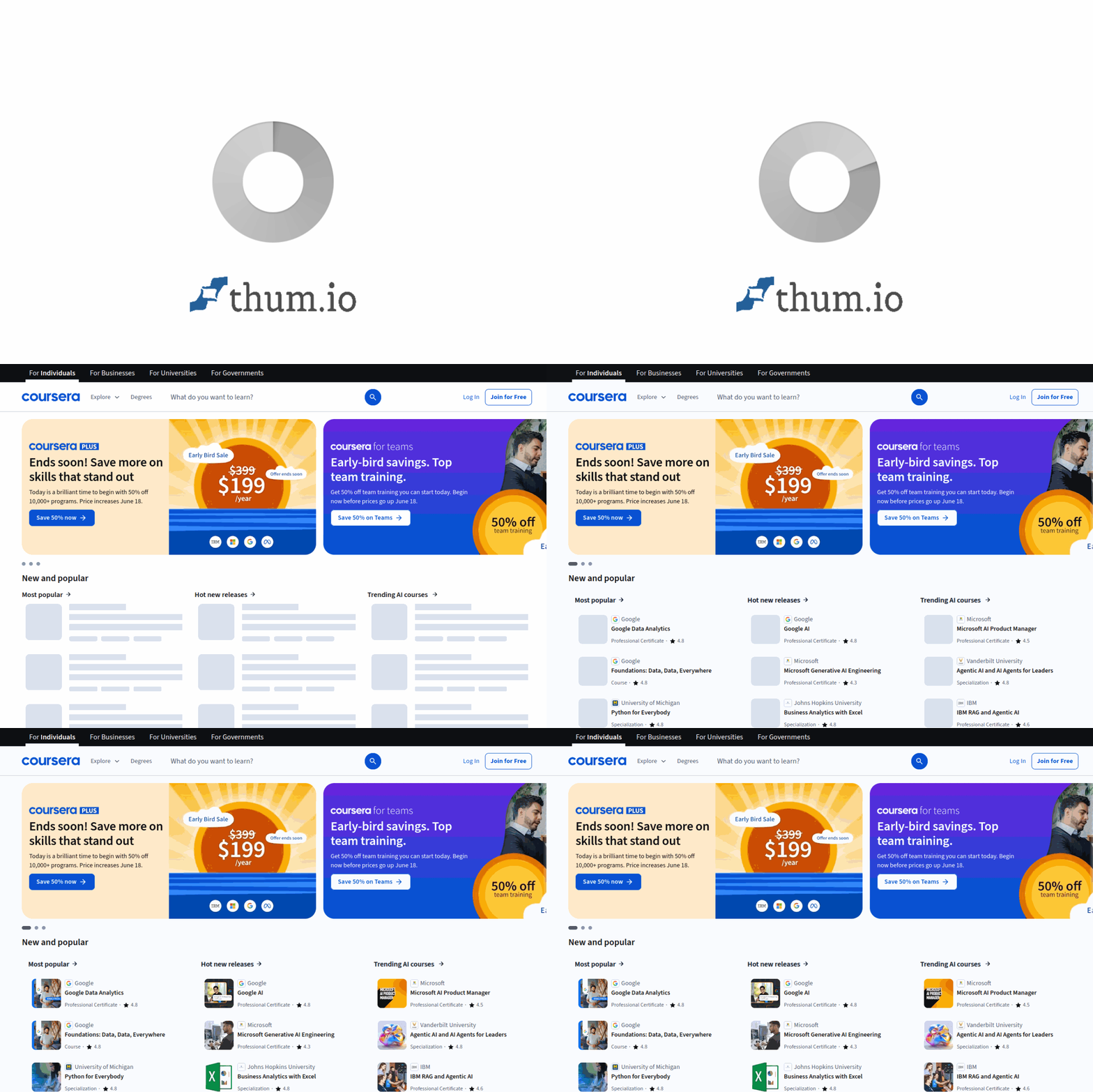
- Visit the Coursera website: Open your web browser and go to https://coursera.com. You will see the homepage with a prominent “Get Started” or “Join for Free” button.
- Choose your sign-up method: You can sign up using your email address, or you can use your Google, Facebook, or Apple account for a quicker registration. If you use email, you will need to create a password and verify your email address by clicking a link sent to your inbox.
- Complete your profile: After signing up, Coursera will ask you a few questions about your learning goals, education level, and areas of interest. This helps the platform recommend courses that are relevant to you. You can skip these questions if you prefer and fill them in later.
- Explore the dashboard: Once your account is active, you will land on your personal dashboard. This is your home base, where you will see recommended courses, your current enrollments, and any upcoming deadlines.
Understanding the Free vs. Paid Options
Coursera offers both free and paid learning opportunities. It is important to understand the difference before you start:
- Free (Audit) Option: Most courses allow you to “audit” them for free. This means you can access all the video lectures, read the course materials, and sometimes participate in discussion forums. However, you will not receive a certificate upon completion, and you may not have access to graded quizzes or projects.
- Paid Option (Course or Specialization): If you pay for a course, you get full access to all graded assignments, quizzes, and projects. Upon successful completion, you receive a shareable certificate that you can add to your LinkedIn profile or resume. Some courses are part of a larger “Specialization” (a series of related courses), which you can purchase as a bundle, often at a discount.
- Financial Aid: Coursera is committed to making education accessible. If the cost of a course or certificate is a barrier, you can apply for financial aid. This is a simple application process where you explain your financial situation and learning goals. Many learners receive full or partial support within a few days.
Key Features of Coursera
Thousands of Courses from Top Universities and Companies
Coursera’s biggest strength is its diverse and high-quality content library. You can find courses on almost any subject. For example, you can learn “Machine Learning” from Stanford, “The Science of Well-Being” from Yale, or “Google Data Analytics” from Google. Each course is designed by experts and follows a structured curriculum. New courses are added regularly, ensuring that the content remains current and relevant.
Flexible Learning with Video Lectures and Quizzes
Every Coursera course is built around short, engaging video lectures. These videos are typically 5 to 15 minutes long, making it easy to fit learning into a busy schedule. After each video or set of videos, you will encounter quizzes. These quizzes are not just for testing your memory—they help reinforce the concepts you have just learned. You can pause, rewind, and re-watch videos as many times as you need.
Hands-on Projects and Assignments
Theory alone is not enough to master a skill. Coursera emphasizes practical application. Many courses include hands-on projects where you apply what you have learned to real-world problems. For example, a data science course might ask you to analyze a dataset using Python, while a graphic design course might require you to create a logo. Some courses use a built-in coding environment called “Coursera Labs,” so you do not need to install any software on your computer.
Professional Certificates and Degree Programs
For learners looking to boost their career, Coursera offers Professional Certificates from industry leaders like Google, IBM, and Meta. These certificates are designed to prepare you for entry-level jobs in fields like IT support, project management, and data analytics. Additionally, Coursera offers full online Master’s degrees from accredited universities, such as the Master of Computer Science from the University of Illinois or the Master of Business Administration from Boston University. These degrees are significantly more affordable than traditional on-campus programs.
Mobile App for Learning on the Go
Life is busy, and you may not always have access to a computer. The Coursera mobile app (available for iOS and Android) allows you to download video lectures and course materials for offline viewing. You can watch lessons during your commute, listen to lectures while exercising, or complete quizzes on your phone. The app syncs seamlessly with your desktop account, so you never lose your progress.
How to Use Coursera: A Step-by-Step Guide
Step 1: Finding the Right Course
Use the search bar at the top of the Coursera homepage to look for specific topics, such as “Python programming” or “Digital marketing.” You can also browse by category using the “Explore” menu. Once you find a course that interests you, click on its title to view the course landing page. Here you will find:
- Course description and syllabus: A detailed outline of what you will learn, week by week.
- Instructor information: Bios of the professors or industry experts teaching the course.
- Reviews and ratings: Feedback from other learners. Look for courses with high ratings (4.5 stars and above) and a significant number of reviews.
- Time commitment: An estimate of how many hours per week you will need to dedicate.
Step 2: Enrolling in a Course
Once you have chosen a course, click the “Enroll” button. You will be presented with two options: “Audit” (free) or “Full Course” (paid). If you are unsure, start with the audit option. You can always upgrade to the paid version later if you decide you want a certificate. After enrolling, the course will appear in your “My Courses” dashboard.
Step 3: Navigating the Course Interface
When you open your course, you will see a clean, organized interface. The main elements include:
- Course content panel: On the left side of the screen, you will see the course syllabus listed by week or module. Click on any item to jump directly to that lesson.
- Video player: The main area displays the video lecture. Below the video, you will often find a transcript that you can read along with or search for specific terms.
- Resources and downloads: Many instructors provide lecture slides, reading materials, or code files. These are usually listed below the video or in a separate “Resources” tab.
- Discussion forums: Each course has a forum where you can ask questions, share insights, and connect with fellow learners. Instructors or teaching assistants often monitor these forums and respond to common questions.
Step 4: Completing Assignments and Quizzes
After watching the lectures for a week, you will need to complete the assignments. These can include:
- Practice quizzes: These are usually ungraded and designed to help you check your understanding.
- Graded quizzes: These count toward your final grade. You typically have multiple attempts, and the highest score is recorded.
- Peer-graded assignments: For many courses, you will submit a project (such as a written report or a piece of code) and then review the work of three or four other learners. This is a valuable learning experience because it exposes you to different approaches and perspectives.
- Programming assignments: In technical courses, you may use Coursera’s built-in coding environment. You write and run code directly in your browser, and the system automatically grades your submission.
Step 5: Earning Your Certificate
If you are enrolled in the paid track, you will earn a certificate once you have passed all graded assignments and met the course’s passing threshold (usually 80% or higher). Your certificate will be available for download from your “Achievements” page. You can also share it directly to LinkedIn or print it as a PDF.
Tips for Success on Coursera
Set a Consistent Schedule
One of the biggest challenges of self-paced learning is staying on track. Treat your Coursera course like a real class. Set aside specific times each week for watching lectures and completing assignments. For example, you might dedicate 30 minutes every morning or two hours every Saturday. Consistency is more important than long study sessions.
Take Advantage of the Community
Learning alone can be isolating. Use the discussion forums to introduce yourself, ask questions, and help others. Many courses also have study groups on social media platforms like Facebook or Slack. Engaging with the community can deepen your understanding and keep you motivated.
Apply What You Learn
The best way to retain new knowledge is to use it. If you are learning a programming language, try building a small project outside of the course. If you are studying marketing, analyze the strategies of a brand you admire. Practical application turns abstract concepts into tangible skills.
Use the Mobile App for Spare Moments
Download the Coursera app and use it during “dead time”—while waiting for an appointment, riding public transport, or during your lunch break. Even 10 minutes of watching a video or reviewing flashcards can add up to hours of learning over a month.
Don’t Be Afraid to Start Over or Pause
If you find a course too difficult or not what you expected, it is perfectly fine to drop it and try another. Coursera gives you lifetime access to the materials (for paid courses), so you can always come back later. The goal is to learn, not to rush through content.
Apply for Financial Aid if Needed
Never let cost prevent you from learning. Coursera’s financial aid process is straightforward and generous. If you are a student, a job seeker, or living in a country with a lower income level, you have a high chance of receiving aid. Apply early, as processing can take up to two weeks.
Explore Specializations and Degrees
Once you complete a single course and enjoy the experience, consider enrolling in a Specialization. These are series of 3 to 10 courses that cover a topic in depth. They often culminate in a capstone project where you solve a real-world problem. For serious learners, a Specialization or a full online degree can be a transformative investment in your future.
Coursera is more than just a platform for watching videos—it is a gateway to new opportunities, skills, and connections. By following this tutorial and implementing the tips provided, you are well on your way to becoming a successful lifelong learner. Start today by enrolling in a course that excites you, and remember that every expert was once a beginner.

Coursera
Online learning platform offering courses from top universities and companies.