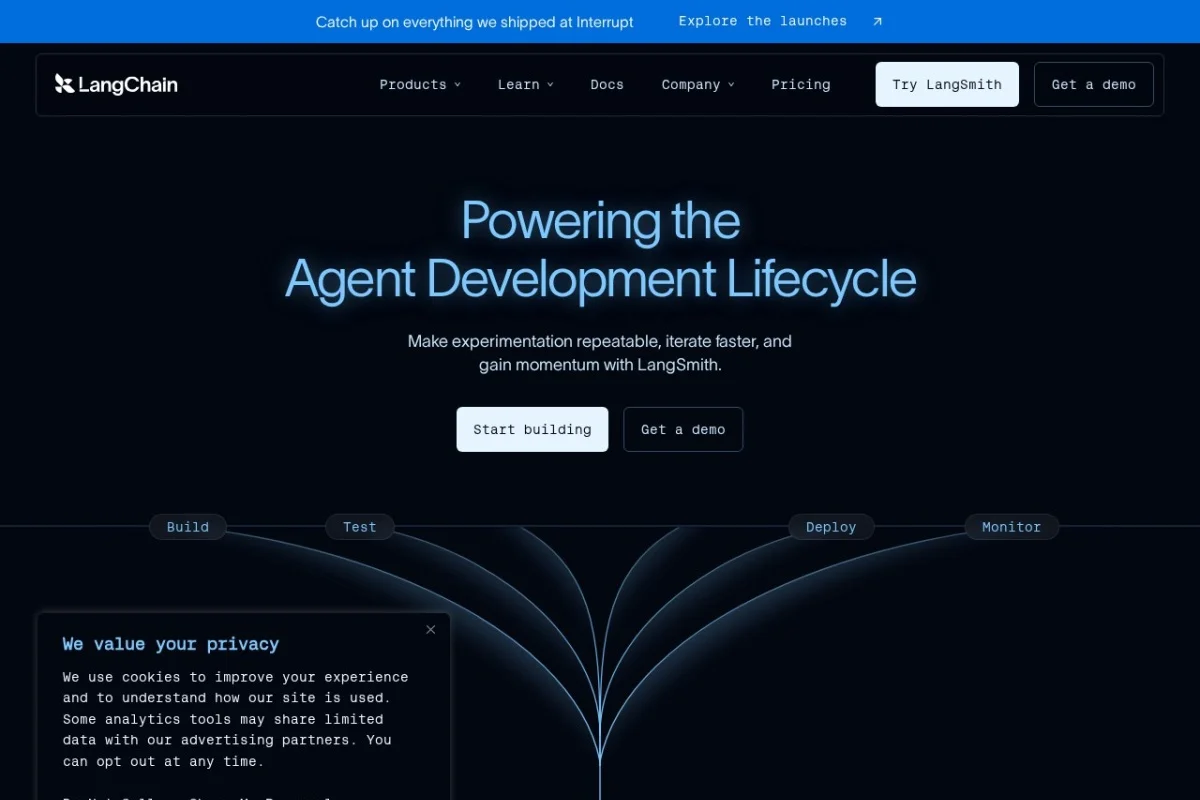
Introduction to LangChain: Building Production-Ready AI Agents
Artificial intelligence has moved beyond simple chatbots and experimental prototypes. Today, developers need reliable, observable, and deployable AI agents that can handle complex tasks in real-world environments. This is where LangChain comes into play. LangChain is not just another AI framework; it is a comprehensive platform designed to help you build, observe, evaluate, and deploy trustworthy AI agents at scale.
Whether you are a solo developer experimenting with large language models (LLMs) or part of a team building enterprise-grade AI applications, LangChain provides the infrastructure to move from a proof-of-concept to a production system with confidence. The platform addresses the three biggest challenges in AI development: reliability, observability, and lifecycle management.
This tutorial will guide you through everything you need to know about LangChain, from setting up your first agent to deploying it in a production environment. By the end, you will understand how to leverage LangChain’s core features to build AI applications that are not only powerful but also transparent and maintainable.
Getting Started with LangChain
What You Need Before You Begin
Before diving into LangChain, ensure you have the following prerequisites:
- Python 3.8 or higher installed on your machine
- Basic understanding of Python programming and APIs
- An API key for at least one LLM provider (such as OpenAI, Anthropic, or Cohere)
- A LangChain account (free tier available at https://www.langchain.com)
- pip package manager to install dependencies
Installation
Open your terminal or command prompt and run the following command to install the LangChain Python package along with its core dependencies:
pip install langchain langchain-community langchain-core
If you plan to use a specific LLM provider, install the corresponding integration package. For example:
- pip install langchain-openai for OpenAI models
- pip install langchain-anthropic for Anthropic Claude models
- pip install langchain-cohere for Cohere models
Setting Up Your First LangChain Project
Create a new Python file called first_agent.py and start with a simple configuration:
from langchain_openai import ChatOpenAI
from langchain.agents import create_react_agent
from langchain.agents import AgentExecutor
from langchain.tools import tool
from langchain_core.prompts import PromptTemplate
Next, initialize your LLM. Replace “your-api-key-here” with your actual API key:
llm = ChatOpenAI(model=”gpt-4″, temperature=0, api_key=”your-api-key-here”)
You now have a working LangChain setup. In the next sections, we will explore how to use this foundation to build powerful agents.
Key Features of LangChain
1. Real-Time Agent Observation
One of the standout features of LangChain is its ability to monitor agent behavior and performance in real-time. Unlike traditional black-box AI systems, LangChain provides a dashboard where you can see exactly what your agent is thinking, which tools it is calling, and how it arrives at its decisions. This transparency is crucial for debugging and building trust in your AI applications.
The observation system logs every step of the agent’s reasoning process, including:
- Input prompts and their formatting
- Intermediate reasoning steps (chain-of-thought)
- Tool calls and their results
- Final outputs and response times
- Error logs and failure points
2. Custom Evaluation Metrics
LangChain allows you to evaluate agent outputs using custom metrics that matter to your specific use case. Instead of relying on generic accuracy scores, you can define criteria such as:
- Relevance: Does the output address the user’s query?
- Safety: Does the response avoid harmful or biased language?
- Completeness: Does the agent cover all required aspects of the task?
- Latency: How fast does the agent respond?
- Tool usage efficiency: Does the agent use the right tools in the correct order?
These evaluations can be automated as part of your CI/CD pipeline, ensuring that every new version of your agent meets your quality standards before deployment.
3. Seamless Production Deployment
Deploying an AI agent to production can be daunting, but LangChain simplifies this process significantly. The platform provides built-in deployment options that handle scaling, load balancing, and security. You can deploy your agent as a REST API, a WebSocket endpoint, or integrate it directly into your existing application infrastructure.
Key deployment features include:
- Automatic scaling based on traffic
- Version management to roll back if something goes wrong
- Environment isolation for development, staging, and production
- Authentication and access control out of the box
4. Agent Lifecycle and Version Management
AI agents evolve over time. You might tweak prompts, add new tools, or switch to a different LLM model. LangChain provides a complete version control system for your agents, allowing you to:
- Track changes to prompts, tools, and configurations
- Compare performance across different versions
- Roll back to a previous version instantly
- Run A/B tests between agent versions in production
- Maintain a changelog for your team
How to Use LangChain: A Step-by-Step Guide
Step 1: Create a Simple Agent with Tools
Let’s build a practical agent that can perform calculations and look up information. First, define some tools:
@tool
def calculate(expression: str) -> str:
“””Useful for mathematical calculations. Input should be a mathematical expression.”””
try:
return str(eval(expression))
except Exception as e:
return f”Error: {str(e)}”
@tool
def get_current_time() -> str:
“””Returns the current date and time.”””
from datetime import datetime
return datetime.now().strftime(“%Y-%m-%d %H:%M:%S”)
Now, create the agent using these tools:
from langchain.agents import Tool, AgentExecutor, create_react_agent
from langchain_core.prompts import PromptTemplate
tools = [Tool(name=”Calculator”, func=calculate, description=”Performs math calculations”),
Tool(name=”CurrentTime”, func=get_current_time, description=”Gets current time”)]
prompt = PromptTemplate.from_template(
“You are a helpful assistant. Use the following tools to answer questions: {tools}
Question: {input}
{agent_scratchpad}”
)
agent = create_react_agent(llm, tools, prompt)
agent_executor = AgentExecutor(agent=agent, tools=tools, verbose=True)
Step 2: Run and Observe Your Agent
Execute your agent with a sample query:
response = agent_executor.invoke({“input”: “What is 25 multiplied by 4, and what time is it?”})
print(response[“output”])
When you run this, you will see the agent’s reasoning process printed in the console. It will first calculate 25 * 4 = 100, then call the time tool, and finally combine both answers into a coherent response.
Step 3: Enable Real-Time Monitoring
To observe your agent in the LangChain dashboard, you need to set up tracing. First, get your LangChain API key from the platform dashboard:
import os
os.environ[“LANGCHAIN_TRACING_V2”] = “true”
os.environ[“LANGCHAIN_API_KEY”] = “your-langchain-api-key”
Now every run will be logged and visible in your LangChain dashboard under the “Observe” tab. You can see the exact sequence of events, token usage, and timing for each run.
Step 4: Evaluate Agent Performance
Create an evaluation dataset in the LangChain platform. Go to the “Evaluate” section and upload a CSV file with test cases. Each test case should include:
- Input: The query to send to the agent
- Expected output: The ideal response
- Metrics: Which metrics to check (relevance, safety, etc.)
Run the evaluation from your Python script:
from langchain.evaluation import load_evaluator
evaluator = load_evaluator(“criteria”, criteria=”relevance”, llm=llm)
eval_result = evaluator.evaluate_strings(
prediction=response[“output”],
input=”What is 25 multiplied by 4, and what time is it?”
)
print(eval_result)
Step 5: Deploy to Production
Once you are satisfied with your agent’s performance, deploy it using LangChain’s deployment feature. In the LangChain platform, navigate to the “Deploy” section and click “Create New Deployment”. Your agent will be hosted on LangChain’s infrastructure and accessible via a secure API endpoint.
To call your deployed agent from any application:
import requests
response = requests.post(
“https://api.langchain.com/v1/agents/your-agent-id/invoke”,
headers={“Authorization”: “Bearer your-api-key”},
json={“input”: “Your query here”}
)
print(response.json())
Step 6: Manage Versions
When you make changes to your agent, save a new version in the LangChain platform. Each version gets a unique ID and timestamp. You can switch between versions with a single click in the dashboard or via API:
# Switch to version 2 of your agent
response = requests.post(
“https://api.langchain.com/v1/agents/your-agent-id/versions/2/invoke”,
headers={“Authorization”: “Bearer your-api-key”},
json={“input”: “Your query”}
)
Tips for Building Production-Ready Agents with LangChain
Tip 1: Start Simple, Then Iterate
Do not try to build a complex agent on your first attempt. Start with a single tool and a simple prompt. Test it thoroughly, observe its behavior, and only then add more complexity. LangChain’s observation tools make this iterative process much easier because you can see exactly where your agent struggles.
Tip 2: Use Prompt Engineering Wisely
Your agent’s behavior is heavily influenced by its prompt. Spend time crafting clear, specific instructions. Include examples of good and bad outputs. Use LangChain’s prompt templates to keep your prompts organized and version-controlled.
Tip 3: Implement Guardrails Early
AI agents can produce unexpected outputs. Use LangChain’s evaluation metrics to set up guardrails that catch issues before they reach users. For example, create an evaluation that checks for profanity, off-topic responses, or overly long answers. Configure these evaluations to run automatically on every new version.
Tip 4: Monitor Token Usage and Costs
LLM calls can become expensive quickly. Use LangChain’s observation dashboard to track token consumption per run. Set up alerts for unusually high usage. Consider using cheaper models for simpler tasks and reserving powerful models only for complex reasoning steps.
Tip 5: Test with Realistic Data
Your evaluation dataset should mirror real-world usage as closely as possible. Collect actual user queries from your application and add them to your test set. This will help you catch edge cases that synthetic data might miss.
Tip 6: Leverage the Community
LangChain has a vibrant open-source community. Check the LangChain Hub on the platform for pre-built tools, prompts, and agent templates. Many common use cases (customer support, data extraction, code generation) already have community-tested implementations that you can adapt.
Tip 7: Plan for Failure
No agent is perfect. Design your application to handle cases where the agent fails or returns suboptimal results. Use LangChain’s fallback mechanisms to retry with different parameters, escalate to a human operator, or return a default safe response.
Tip 8: Keep Security in Mind
If your agent has access to sensitive data or external systems, use LangChain’s authentication features to restrict access. Never hardcode API keys in your scripts. Use environment variables and LangChain’s secret management tools instead.
Tip 9: Use A/B Testing for Continuous Improvement
Deploy two versions of your agent simultaneously and compare their performance using LangChain’s built-in A/B testing tools. This allows you to make data-driven decisions about prompt changes, tool additions, or model upgrades.
Tip 10: Document Everything
LangChain’s version management is powerful, but it works best when combined with good documentation. Keep a changelog for each version, explaining what changed and why. This will save your team countless hours when debugging issues months later.
Conclusion
LangChain is transforming how developers build AI agents by providing a complete platform that covers the entire lifecycle from experimentation to production. By following this tutorial, you have learned how to set up your first agent, observe its behavior in real-time, evaluate its outputs with custom metrics, deploy it securely, and manage its versions effectively.
The key to success with LangChain is to embrace its observability-first approach. Instead of treating your AI agent as a black box, use the tools LangChain provides to understand exactly how it works, where it fails, and how it can improve. This transparency is what separates hobby projects from production-grade AI applications.
Start small, iterate often, and let LangChain handle the infrastructure complexities so you can focus on building agents that truly deliver value. Visit https://www.langchain.com to create your free account and begin your journey toward building reliable, production-ready AI agents today.
