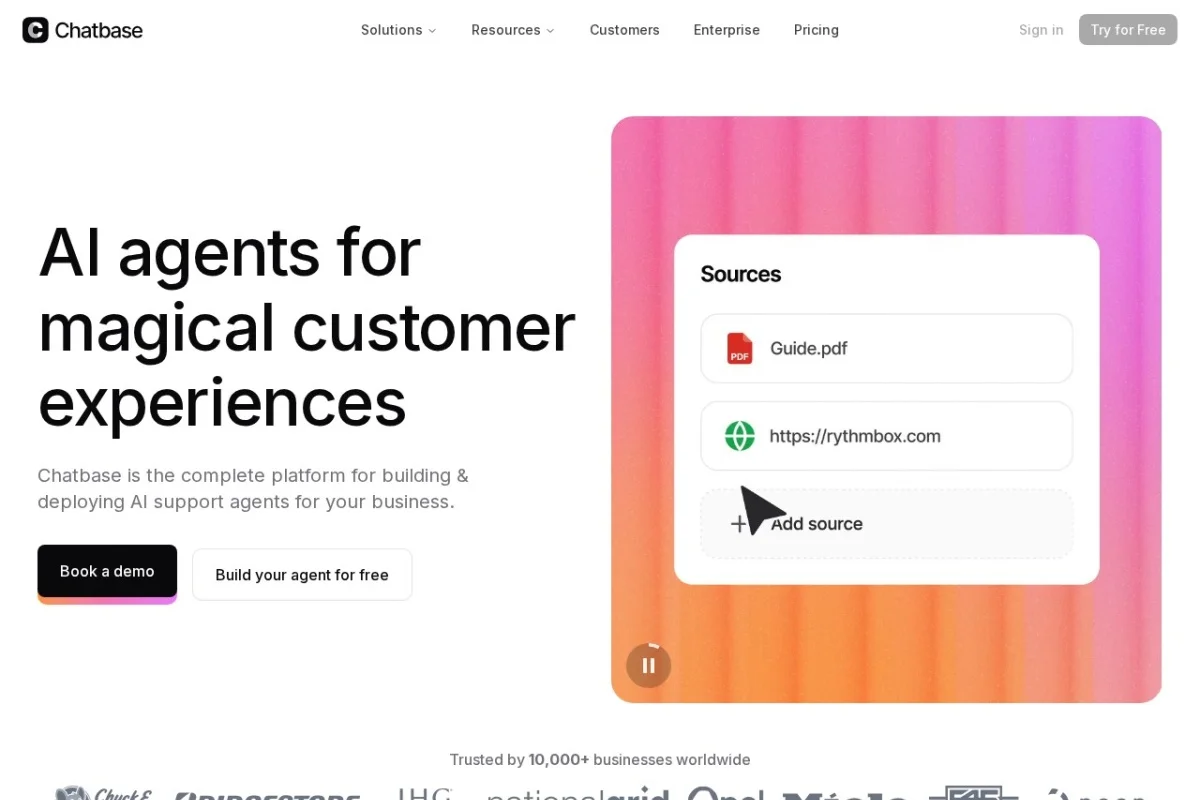
Introduction to Chatbase: Your AI-Powered Customer Service Platform
In today’s fast-paced digital world, providing exceptional customer service is no longer optional—it is a business necessity. However, maintaining a 24/7 support team that can handle thousands of inquiries across multiple channels is both expensive and logistically challenging. This is where Chatbase changes the game. Chatbase is a comprehensive AI customer service platform that allows businesses to build, train, and deploy intelligent AI support agents. Unlike generic chatbots, Chatbase enables you to train your AI agent on your specific business data, connect it to your CRM and order management systems, and deploy it seamlessly across your website, Slack, WhatsApp, and Messenger. The platform supports multiple AI models including OpenAI, Anthropic, Google, and DeepSeek, giving you the flexibility to choose the best engine for your needs. Whether you need to answer FAQs, update subscriptions, or modify orders, Chatbase turns your knowledge base into an active, intelligent assistant that works around the clock.
Getting Started with Chatbase
Creating Your Account and First Agent
To begin your journey with Chatbase, navigate to https://www.chatbase.co/ and click on the “Get Started” or “Sign Up” button. You can register using your email address or sign in with Google for a faster setup. Once your account is created, you will be greeted by a clean dashboard. The first step is to create your AI agent. Click on the “Create Agent” button. You will be asked to give your agent a name—choose something descriptive like “Customer Support Bot” or “Sales Assistant.” You will also select the primary language for your agent. Chatbase supports multiple languages, so choose the one that matches your customer base.
Choosing Your AI Model
One of Chatbase’s standout features is its multi-model support. After naming your agent, you will be prompted to select an AI model. The platform offers a selection including OpenAI (GPT-4, GPT-3.5), Anthropic (Claude), Google (Gemini), and DeepSeek. For beginners, we recommend starting with OpenAI’s GPT-3.5 as it balances speed, cost, and performance. If you need more nuanced responses or handle sensitive data, Anthropic’s Claude is an excellent choice. Google’s Gemini is ideal for tasks requiring up-to-date web knowledge, while DeepSeek offers a cost-effective alternative. You can switch models later as your needs evolve.
Training Your Agent on Business Data
The true power of Chatbase lies in its ability to be trained on your unique business data. In the “Training” section, you can upload documents in formats such as PDF, DOCX, TXT, or CSV. You can also connect your website by providing a URL, and Chatbase will crawl the pages to extract content. Additionally, you can paste text directly or import data from platforms like Notion, Confluence, or Google Docs. For example, if you run an e-commerce store, upload your product catalog, return policy, shipping guidelines, and FAQ document. The AI will learn from this data and provide accurate, context-aware answers to your customers. Click “Train Agent” and wait a few minutes for the processing to complete. You can always add more data later to refine your agent’s knowledge.
Key Features of Chatbase
Multi-Model AI Support
Chatbase does not lock you into a single AI provider. You can choose from OpenAI, Anthropic, Google, and DeepSeek for each agent you create. This flexibility allows you to experiment with different models to see which one best understands your customers’ questions. You can also switch models at any time without retraining your agent, as the training data remains constant. This is particularly useful if you find that one model handles technical queries better while another excels at conversational tone.
Real-Time Data Sync with CRMs and Order Management
Static knowledge is not enough for modern customer service. Chatbase offers real-time data sync with popular CRMs like Salesforce, HubSpot, and Zoho, as well as order management systems. This means your AI agent can access live information about a customer’s account, order status, subscription details, or support history. For instance, when a customer asks “Where is my order?”, the agent can query your order management system in real-time and provide the exact tracking number and estimated delivery date without manual intervention.
AI Actions on External Systems
Perhaps the most powerful feature is the ability for your AI agent to perform actions on external systems. Through Chatbase’s “Actions” module, you can configure the agent to update subscriptions, modify orders, process refunds, or change account settings. This is achieved by connecting to your system’s API. For example, a customer could say “Upgrade my plan from Basic to Pro,” and the agent will automatically execute the change in your billing system. This transforms your chatbot from a passive information provider into an active business tool that can resolve issues end-to-end.
Multi-Channel Deployment
Your customers are everywhere, and Chatbase ensures your AI agent is too. You can deploy your trained agent across:
- Web: Embed a chat widget on your website using a simple JavaScript snippet. Customize the widget’s appearance to match your brand colors and logo.
- Slack: Connect your agent to your Slack workspace so internal teams or external customers can interact with it directly within Slack channels.
- WhatsApp: Integrate with the WhatsApp Business API to provide customer support on the world’s most popular messaging app.
- Messenger: Deploy your agent on Facebook Messenger to engage with customers who prefer social media communication.
Each channel maintains the same training and context, so a customer can start a conversation on your website and continue it later on WhatsApp without repeating information.
How to Use Chatbase: A Step-by-Step Guide
Step 1: Train Your Agent Thoroughly
After creating your agent and selecting a model, focus on training. Upload all relevant business documents. For a SaaS company, this might include help articles, API documentation, pricing pages, and onboarding guides. For a retail business, include product descriptions, size charts, return policies, and shipping FAQs. The more high-quality data you provide, the better your agent will perform. After uploading, click “Train” and wait for the confirmation. You can test the agent immediately by typing questions in the “Preview” chat window. If the answers seem off, add more specific documents or rephrase your training content.
Step 2: Connect to Your CRM and External Systems
Navigate to the “Integrations” tab in your agent settings. Here you will find options to connect to CRMs, order management platforms, and other tools. For example, to connect to HubSpot, you will be prompted to log in and grant permissions. Once connected, map the data fields your agent needs access to, such as customer name, email, subscription tier, and order history. For AI actions, go to the “Actions” section and define specific triggers. For instance, create an action called “Update Subscription” that calls your billing API. Define the required parameters (e.g., customer email, new plan name) and the endpoint. Test the action with a sample request to ensure it works correctly.
Step 3: Customize the Chat Widget (Web Deployment)
For web deployment, go to the “Embed” section. You will find a code snippet. Copy it and paste it into the <head> or <body> section of your website’s HTML. Chatbase also offers a no-code option if you use platforms like WordPress, Shopify, or Wix—simply install the Chatbase plugin or use the provided integration. Customize the widget’s behavior: set a greeting message (e.g., “Hi! How can I help you today?”), choose the position (bottom-right or bottom-left), and define the color scheme. You can also set the agent to proactively offer help after a visitor spends a certain amount of time on a page.
Step 4: Deploy to Messaging Channels
To deploy on WhatsApp, you need a WhatsApp Business Account and access to the WhatsApp Cloud API. In the “Channels” section, select WhatsApp and follow the step-by-step authentication process. You will need to verify your business phone number. Once connected, your agent will automatically respond to incoming messages. For Slack, create a Slack app in your workspace, obtain the necessary tokens, and paste them into Chatbase’s Slack integration settings. For Messenger, connect your Facebook page. Each channel will have its own setup guide within the platform.
Step 5: Monitor and Improve Performance
After deployment, use the Analytics Dashboard to track key metrics. You can see total conversations, resolved vs. escalated tickets, customer satisfaction scores, and the most common questions asked. If you notice that your agent frequently fails to answer a specific type of question, go back to the training section and add more relevant data. You can also manually review conversation logs to identify areas where the agent gave incorrect or unhelpful responses. Continuously refine your training data to keep the agent accurate and up-to-date.
Tips for Getting the Most Out of Chatbase
Tip 1: Start Small and Scale Gradually
Do not try to train your agent on every piece of company data at once. Begin with your top 20 most frequently asked questions and their answers. Once the agent handles these reliably, expand to more complex queries. This iterative approach prevents your agent from becoming overwhelmed and ensures a high accuracy rate from day one.
Tip 2: Use Clear and Consistent Language in Training Data
The AI learns from the documents you provide. If your training data contains jargon, inconsistent terminology, or outdated information, your agent will replicate those errors. Write your FAQs and help articles in a clear, conversational tone that matches how your customers actually speak. For example, if customers say “cancel my order,” use that phrase in your training data rather than “order cancellation request.”
Tip 3: Set Up Escalation Rules
No AI is perfect. Configure your agent to recognize when it cannot answer a question and automatically escalate the conversation to a human agent. In Chatbase, you can set conditions such as “If the customer asks for a manager” or “If the agent’s confidence score is below 70%.” This ensures that complex or sensitive issues are handled by your team while the AI handles the routine queries.
Tip 4: Leverage AI Actions for Routine Tasks
Identify repetitive tasks that your support team performs daily, such as resetting passwords, checking account balances, or updating shipping addresses. Configure these as AI actions. This will significantly reduce your team’s workload and provide instant resolution for customers. Always test actions in a sandbox environment before going live to avoid accidental changes to real customer data.
Tip 5: Regularly Update Training Data
Your business evolves, and so should your AI agent. Whenever you launch a new product, change a policy, or update pricing, add the new information to your training data and retrain the agent. Schedule a monthly review of your training documents to remove outdated content and add fresh insights. This keeps your agent relevant and trustworthy.
Tip 6: Experiment with Different AI Models
Do not assume that the first model you choose is the best. Create a duplicate of your agent and train it on the same data but with a different model, such as Anthropic’s Claude instead of OpenAI. Run both agents in parallel for a week and compare their performance in the analytics dashboard. You may find that one model handles your specific industry terminology better than another.
Tip 7: Personalize the Customer Experience
Use the CRM integration to personalize interactions. For example, if the agent detects that a customer is a premium subscriber, it can greet them by name and offer VIP support options. You can also configure the agent to remember past interactions, so it does not ask for information the customer has already provided. This level of personalization dramatically improves customer satisfaction.
Conclusion
Chatbase is more than just a chatbot—it is a complete AI customer service infrastructure that empowers businesses to deliver fast, accurate, and personalized support at scale. By training your agent on your unique business data, connecting it to your live systems, and deploying it across the channels your customers love, you can reduce support costs, increase response times, and free your human team to focus on higher-value tasks. Whether you are a solopreneur or a large enterprise, Chatbase offers the flexibility and power to transform your customer service operations. Start with a single agent, follow the steps outlined in this guide, and watch your support efficiency soar. Visit https://www.chatbase.co/ today and build your first AI support agent.

Chatbase
AI customer service platform for building and deploying support agents.